6
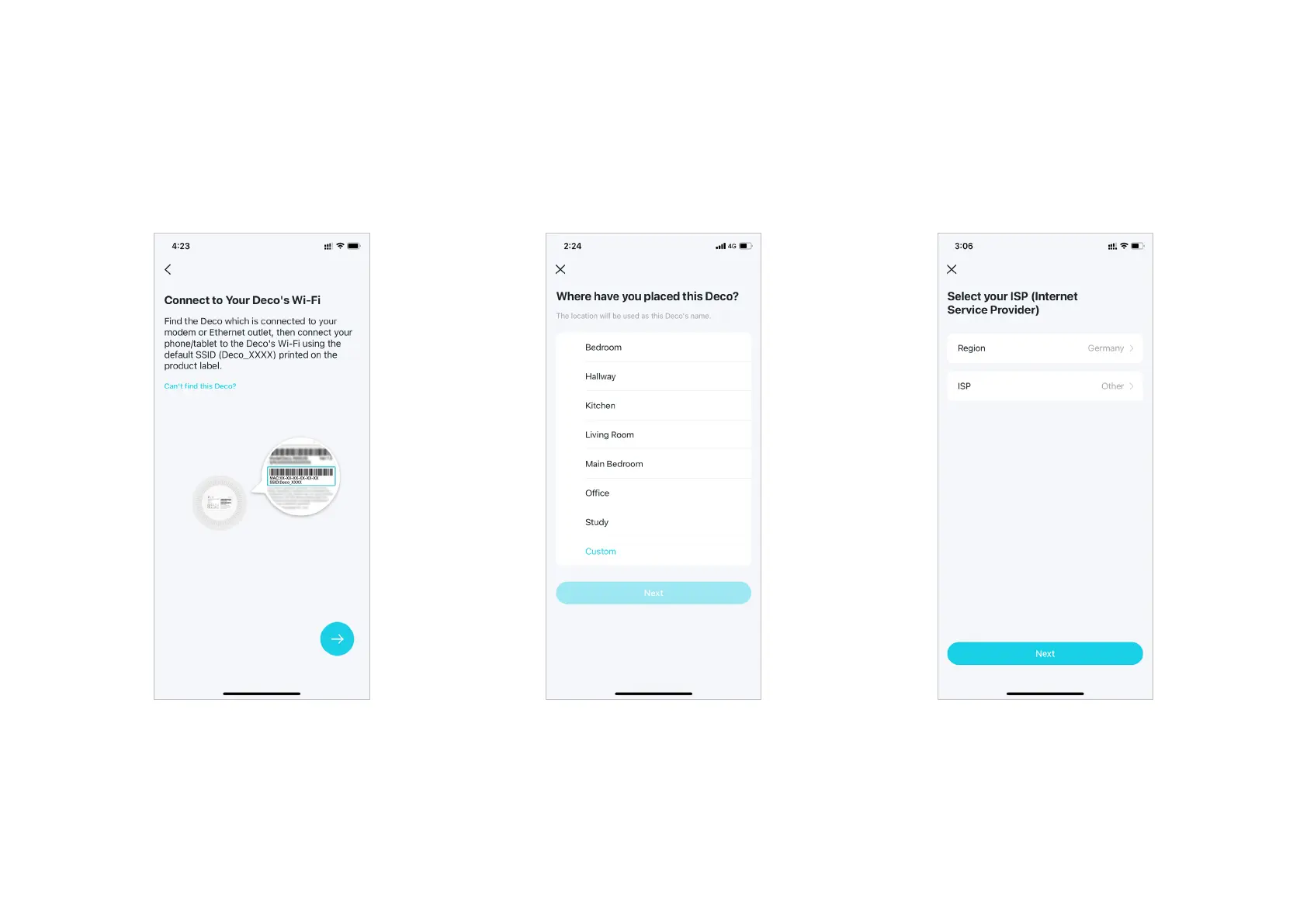
7. Connect to your Deco's Default Wi-Fi
Connect to the Deco's Wi-Fi using the default
SSID printed on the product label.
8. Specify your Deco's location
Select or custom a location for your Deco.
The location will be used as the name of your
Deco.
9. Select your ISP
Choose your current region and ISP (Internet
Service Provider). If you can not find your ISP
in the list, select Other.


 To Next Page