8
Chapter 2
Set Up Internet Connection
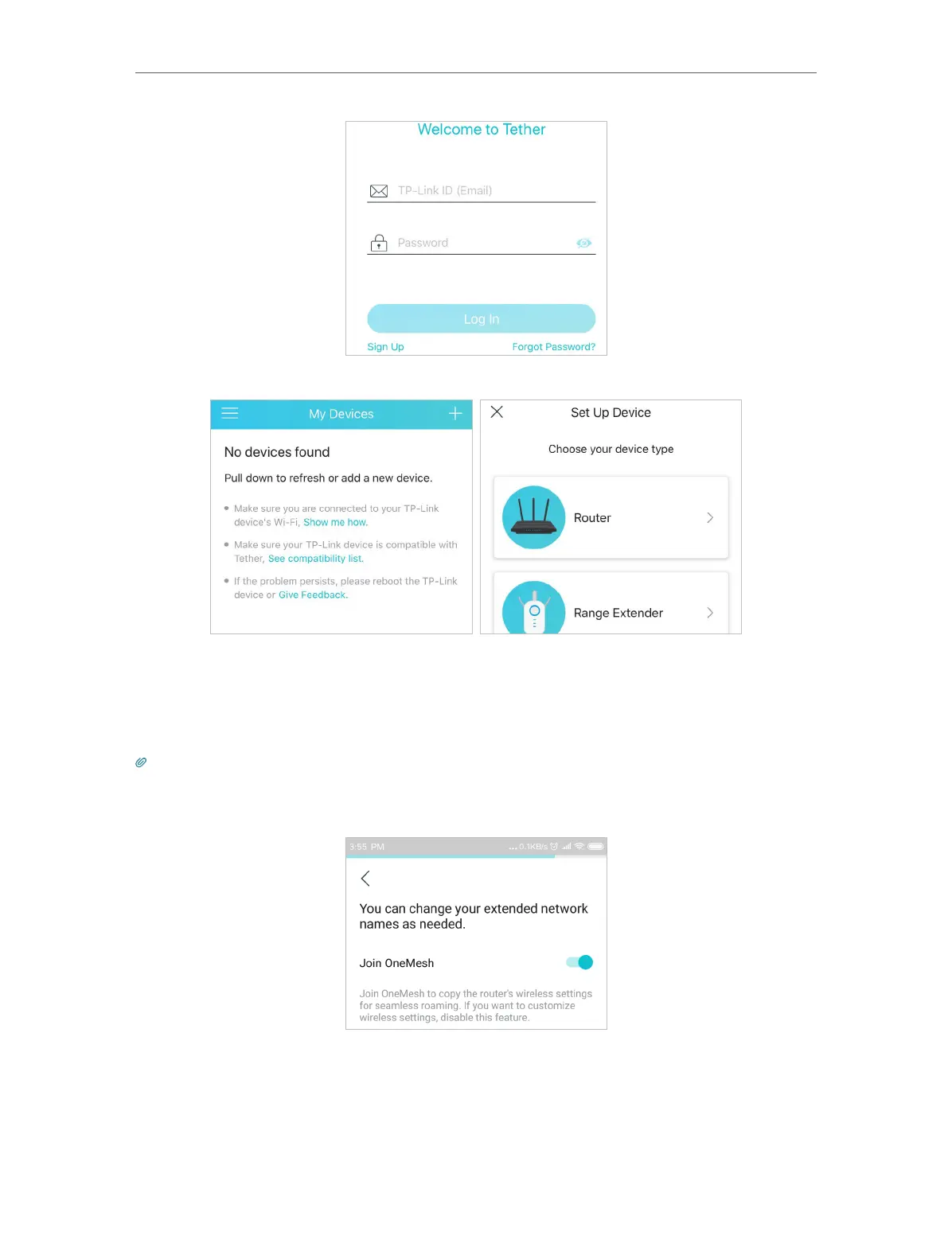
3. Tap the + icon on the upper-right corner and select Range Extender.
4. Follow app instructions to set up your extender.
5. (Optional) Enable Join OneMesh to copy the router’s wireless settings for seamless
roaming. For more information about OneMesh, refer to OneMesh with Seamless
Roaming.
Tip:
It is recommended to enable Smart Connect on your host router to enjoy a seamless connection between dual-band
networks. With Smart Connect enabled, your host router’s 2.4GHz and 5GHz share the same SSID (network name) and
password. Refer to your host router’s user guide to enable Smart Connect.
6. Relocate your extender and follow app instructions to enjoy the extended network.
1 ) Plug in the extender about halfway between your router and the Wi-Fi dead zone.
The location you choose must be within the range of your router.


 To Next Page