Configuring MAC VLAN Configuration Example
Configuration Guide 167
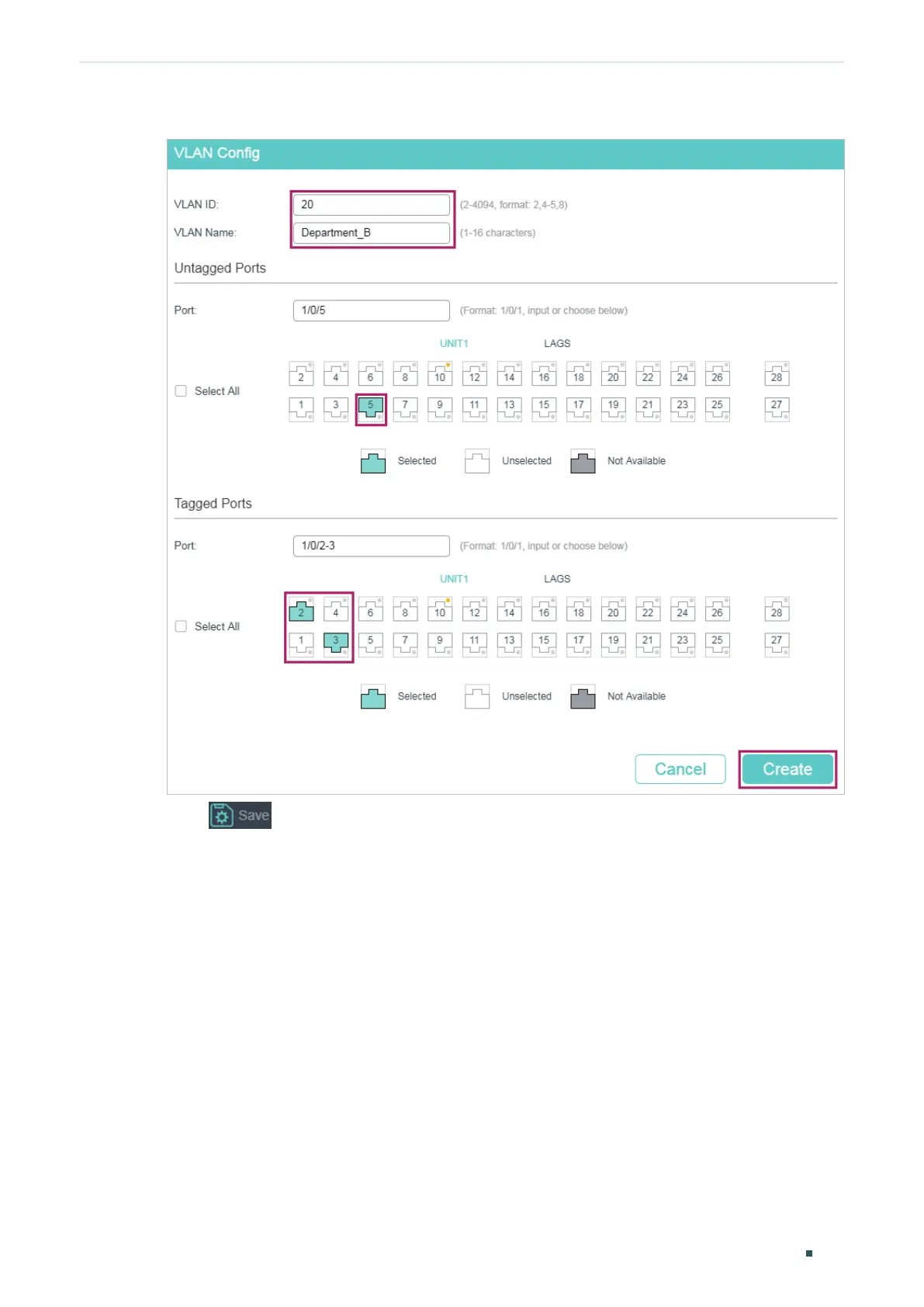
Figure 3-7 Creating VLAN 20
3) Click to save the settings.
3.4 Using the CLI
■ Configurations for Switch 1 and Switch 2
The configurations of Switch 1 and Switch 2 are the same. The following introductions take
Switch 1 as an example.
1) Create VLAN 10 for Department A and create VLAN 20 for Department B.
Switch_1#configure
Switch_1(config)#vlan 10
Switch_1(config-vlan)#name deptA
Switch_1(config-vlan)#exit




 To Next Page