Configuration Guide 344
Configuring Spanning Tree Configuration Example for MSTP
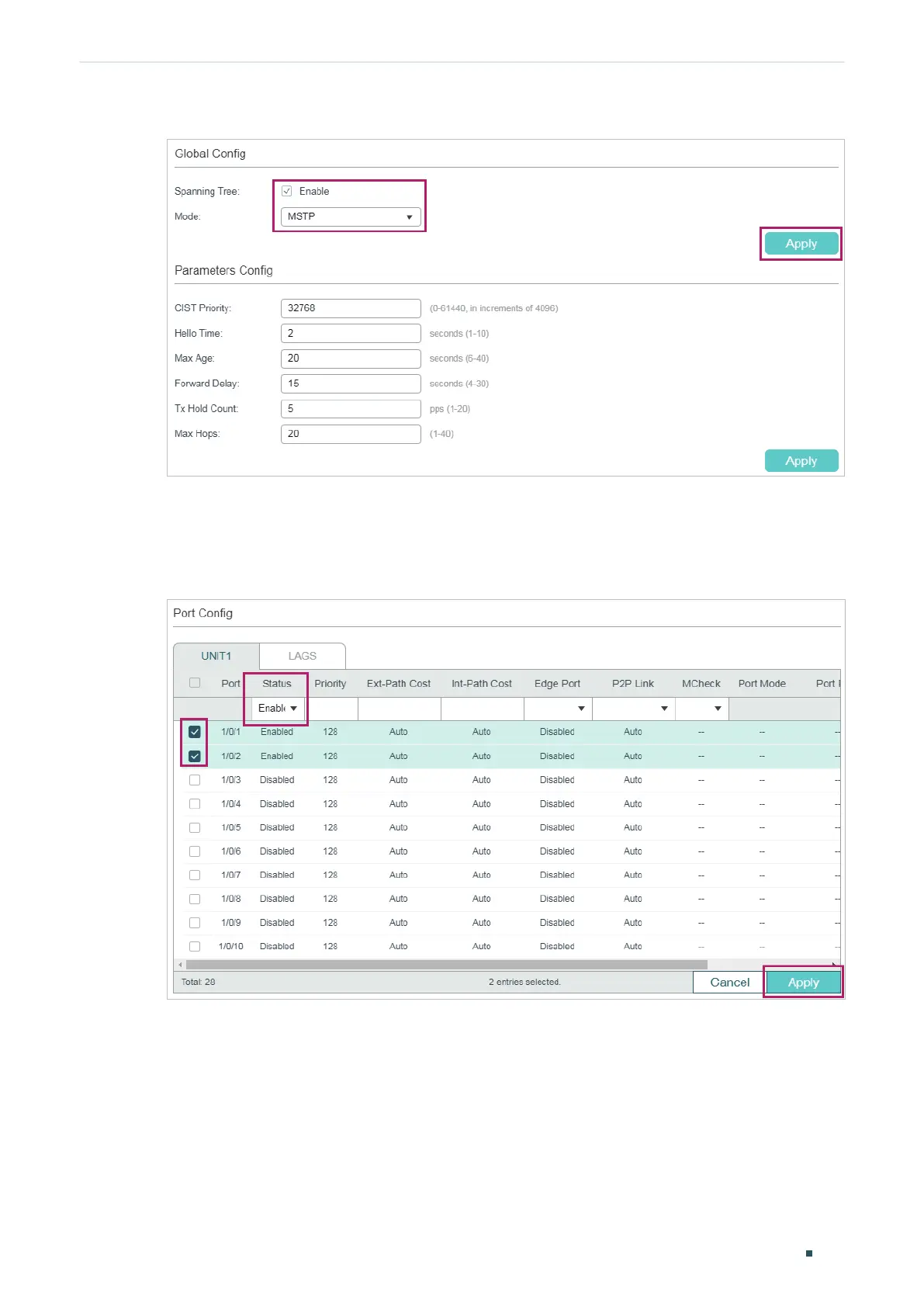
Figure 5-3 Configure the Global MSTP Parameters of the Switch
2) Choose the menu L2 FEATURES > Spanning Tree > STP Config > Port Config to load
the following page. Enable spanning tree function on port 1/0/1 and port 1/0/2. Here we
leave the values of the other parameters as default settings. Click Apply.
Figure 5-4 Enable Spanning Tree Function on Ports
3) Choose the menu L2 FEATURES > Spanning Tree > MSTP Instance > Region Config
to load the following page. Set the region name as 1 and the revision level as 100. Click
Apply.




 To Next Page