9
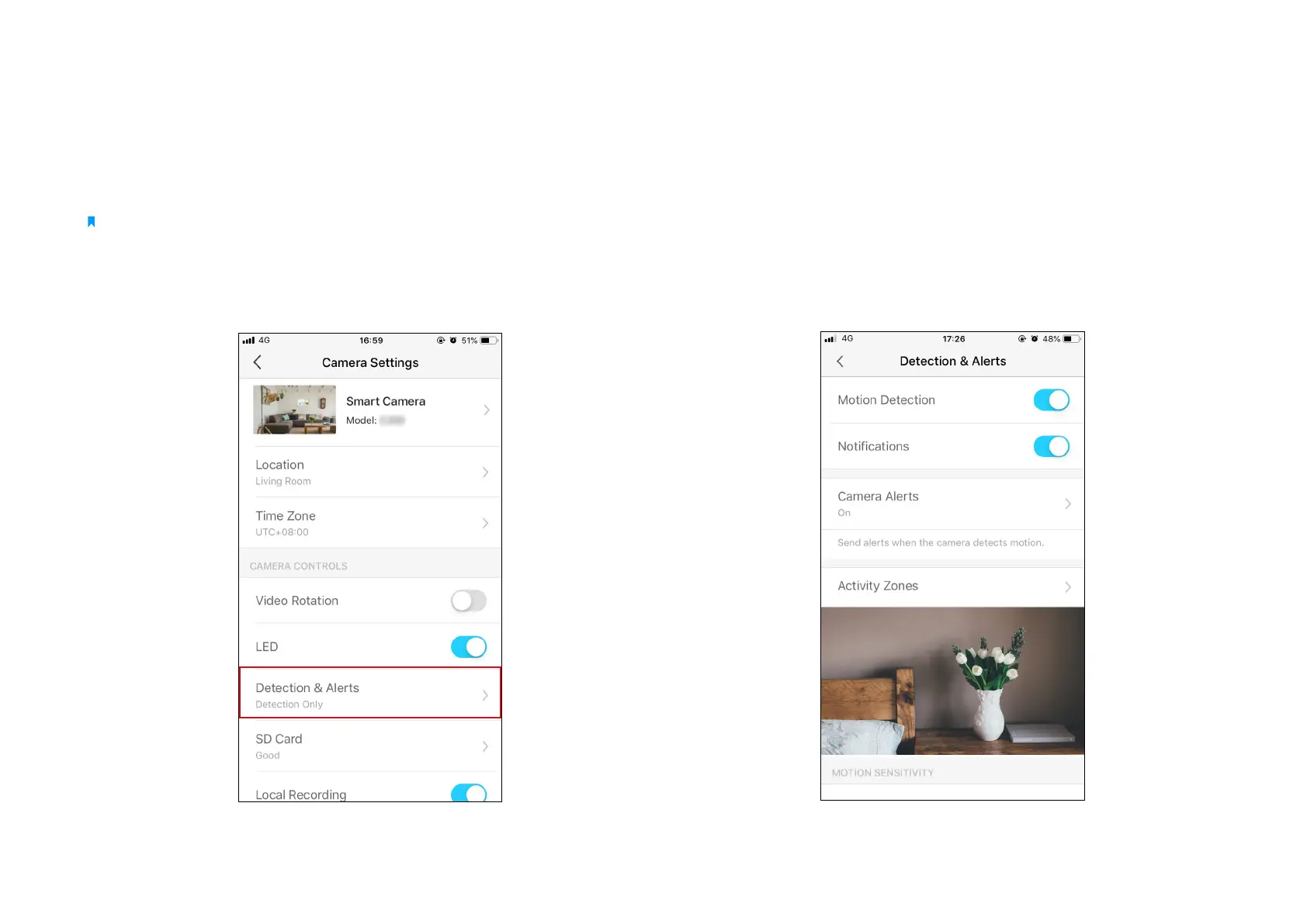
1. Go to Camera Settings page and tap Detection & Alerts to customize
its current detection settings.
2. On the Detection & Alerts page, enable the Motion Detection
function. It's recommended to enable the Notications function to
receive motion detection messages.
Motion Detection
With motion detection, the Tapo app alerts you of activity that matters and sends notications straight to you when motion detected.
Insert a microSD card to record the clips when motion detected. Otherwise, you can only receive the notications.
Note:
Initialize the SD card on the app before using it.



 To Next Page