10
Basic Device Control
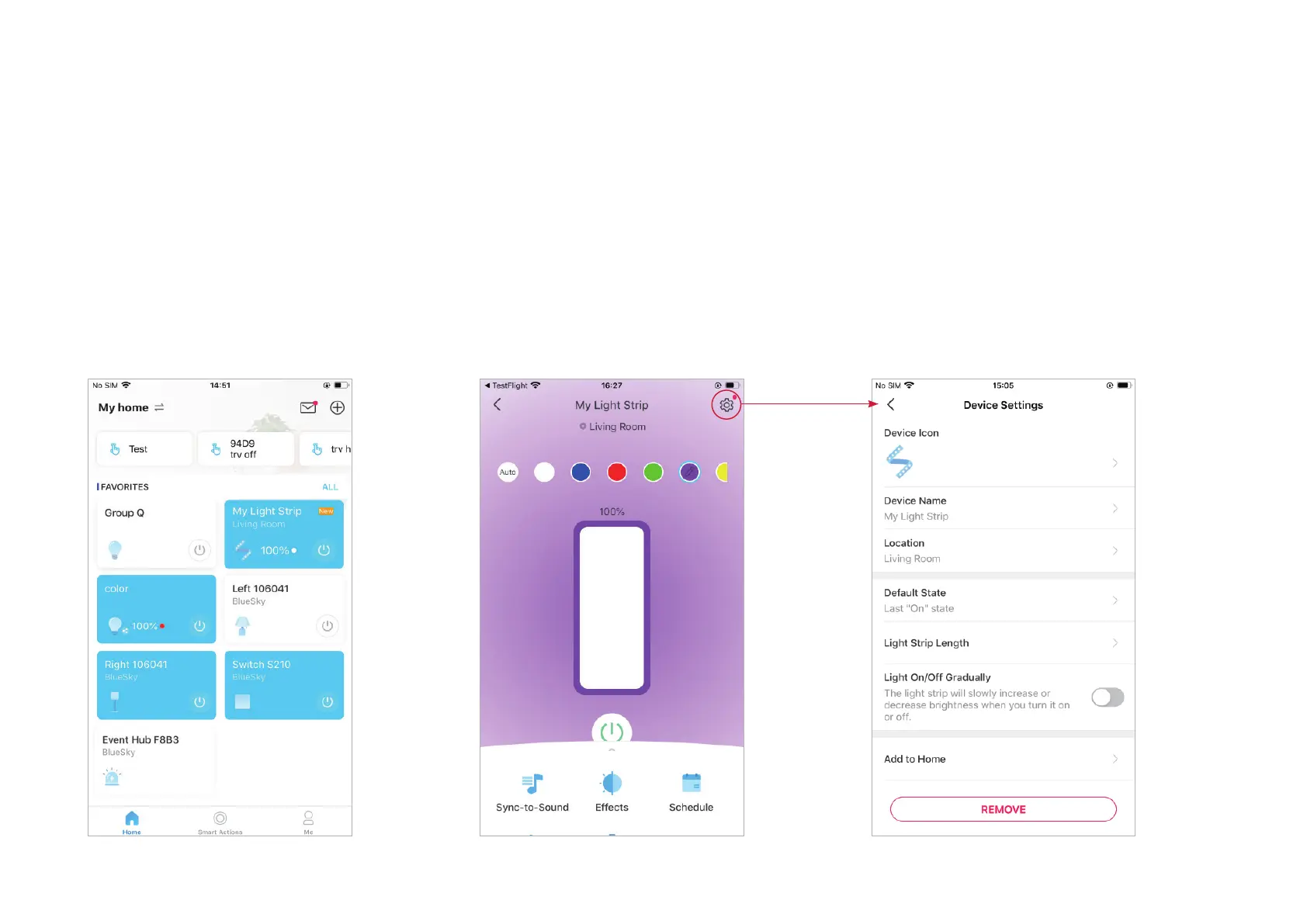
After successfully setting up your light strip, you will see the home page of the Tapo app. Here you can view the status of all devices that you've added
and manage them. You can tap on the device to control and manage.
Home Page
You can turn on or o the light strip anytime
anywhere and tap the card to enter the status
page.
Device Status Page
You can adjust brightness and colors, start
sync-to-sound, set lighting eects, create
schedules, enable away mode, or set a timer
to automatically control your device, view its
runtime & energy usage, and more.
Device Settings Page
You can edit the basic information, set default
state, change the illuminated length, enable
gentle on/o, update rmware, and more.


 To Next Page