
 Need help?
Do you have a question about the TP-Link TL-PB10000 and is the answer not in the manual?
This document serves as a user guide for a TP-Link Power Bank, providing essential information on its function, usage, safety, and compliance.
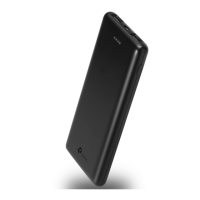
The TP-Link Power Bank is a portable device designed to provide on-the-go power for your electronic gadgets. Its primary function is to store electrical energy and then deliver it to other devices, such as smartphones, tablets, or other USB-powered electronics, when a wall outlet is not readily available. This makes it an ideal companion for travel, outdoor activities, or simply as a backup power source for daily use. The power bank itself is rechargeable, allowing you to replenish its internal battery for repeated use.
The power bank is designed for straightforward and convenient operation. To charge your devices, you simply plug your USB charging cable into the smart port on the power bank. Once connected, a press of the power button initiates the charging process for your connected devices. This intuitive design ensures that you can quickly and easily power up your electronics whenever needed.
Recharging the power bank itself is equally simple. You can connect the power bank to a wall charger or your computer's USB port using a micro-USB charging cable. This flexibility allows you to recharge the power bank from various power sources, making it adaptable to different environments.
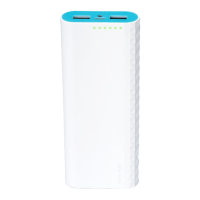
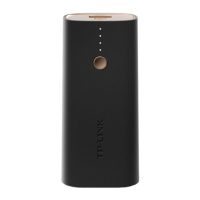
Monitoring the battery status of the power bank is also an integrated feature. By pressing the power button, you can check the current battery level, indicated by a series of LEDs. It is highly recommended to recharge the power bank when the last indicator LED begins blinking, ensuring that you always have sufficient power for your needs. The power button serves a dual purpose, acting both as an activation switch for charging external devices and as a battery level indicator.
Proper maintenance and adherence to safety guidelines are crucial for ensuring the longevity and safe operation of your TP-Link Power Bank. The user guide emphasizes several key points for maintenance and care.
Firstly, environmental considerations are important. The device should be kept away from water, fire, humidity, and hot environments to prevent damage and ensure safe operation. Extreme conditions can negatively impact the internal components and battery life.
Secondly, the guide advises against any attempts to disassemble, repair, or modify the device. Such actions can void warranties, damage the device, and potentially lead to safety hazards. Similarly, using damaged chargers or USB cables for charging the power bank is discouraged, as this can also lead to damage or unsafe conditions.
Physical handling is also addressed; users should avoid deliberately dropping or impacting the device. Additionally, attempts to extrude or pierce the device are warned against, as this can cause a short circuit, which is a significant safety risk. If the product shows any signs of bulging or other visible abnormalities, its use should be immediately discontinued, and the user should contact support or the distributor.
Regarding battery care, it is recommended to charge the power bank at least once every three months. This practice helps to prevent the battery from deep discharge, which can shorten its overall lifespan. The guide also includes a caution about the risk of explosion if the battery is replaced by an incorrect type, stressing the importance of disposing of used batteries according to instructions.
Finally, the document highlights the importance of recycling the device at an approved disposal location when it reaches the end of its life cycle. This aligns with environmental directives, ensuring that the product is handled responsibly to minimize its environmental impact. The product bears the selective sorting symbol for Waste Electrical and Electronic Equipment (WEEE), indicating that it should be recycled or dismantled by a competent organization.
The guide also notes that the product is not suitable for individuals lacking relevant knowledge and experience, suggesting that such users operate it under the supervision and guidance of professionals. This underscores the manufacturer's commitment to user safety and proper device handling.
 General
| Battery Capacity | 10000mAh |
|---|---|
| Input | 5V/2A |
| Output | 5V/2.1A |
| Weight | 220g |
| Battery Type | Lithium Polymer |
| Input Ports | Micro USB |
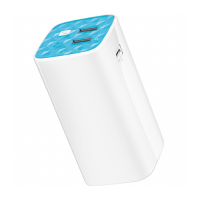
| Output Ports | 2 USB-A ports |



 To Next Page