
 Need help?
Do you have a question about the TP-Link TL-PB15600 and is the answer not in the manual?
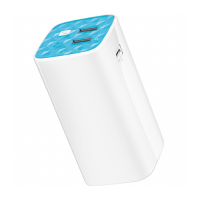
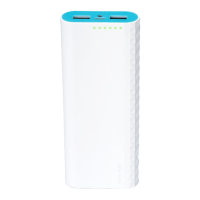
This document describes the TL-PB15600 power bank, a portable device designed to provide power to other electronic devices and offer additional utility features. The power bank emphasizes its "More powerful" and "More reliable" characteristics, suggesting robust performance and dependable operation for users on the go.
The primary function of the TL-PB15600 is to serve as an external power source for various electronic gadgets. It is equipped with a USB output port, allowing users to connect and charge their devices, such as smartphones, tablets, or other USB-powered electronics. The power bank itself is rechargeable, featuring a Micro-USB input port that enables it to be charged from a wall charger or a computer's USB port using a standard USB charging cable.
Beyond its core charging capability, the TL-PB15600 also integrates a built-in LED flashlight. This feature adds a practical utility, providing illumination when needed, making the power bank a multi-functional accessory.
The TL-PB15600 is designed for straightforward and intuitive use, incorporating several features to enhance user experience:
Charging the Power Bank (5V/2.4A): To recharge the power bank, users simply plug it into a wall charger or a computer's USB port using a USB charging cable. This process ensures the power bank is ready to supply power when external charging is not available. The input specification (5V/2.4A) indicates its charging capability.
Charging Other Devices (Total: 5V/3A): The power bank features a "Smart" USB output port. To charge another device, users connect their device to this port using a USB charging cable. The "Smart" designation suggests that the power bank may intelligently detect and deliver an optimal charging current to the connected device, up to a total output of 5V/3A. This allows for efficient and potentially faster charging of compatible devices.
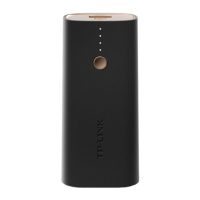
Checking the Battery Status: The power bank includes a series of "Power Indicator LEDs." Users can check the current battery level by pressing the "Power Button." These LEDs illuminate to indicate the remaining charge, providing a visual cue of the power bank's capacity. The manual recommends charging the power bank when the last indicator LED is blinking, signifying a low battery state.
LED Flashlight: The integrated LED flashlight is activated by pressing and holding the "Power Button" for 3 seconds. The same action (pressing and holding for 3 seconds) will turn the flashlight off. This simple control mechanism makes the flashlight easily accessible for quick use.
Power Button: This single button serves multiple purposes: activating the battery status check and controlling the LED flashlight, simplifying the user interface.
The manual provides crucial "Attention" points that serve as maintenance guidelines and safety precautions to ensure the longevity and safe operation of the TL-PB15600:
Environmental Protection: Users are advised to keep the device away from water, fire, and extreme temperatures. This prevents damage to internal components and ensures safe operation.
Physical Handling: It is important not to deliberately drop or impact the device, as this can cause internal damage. Users should also avoid attempting to extrude or pierce the device, which could lead to a short circuit.
No Disassembly or Modification: The device should not be disassembled, modified, or repaired by the user. Any such attempts could void warranties, damage the device, or pose safety risks.
Charging Equipment: Only undamaged wall chargers and USB charging cables should be used to charge the power bank. Using damaged accessories can be unsafe and may harm the device.
Anomaly Detection: If the product shows signs of bulging or any other visible abnormalities, users should immediately stop using it and contact the manufacturer or distributor. This is a critical safety measure to prevent potential hazards.
Proper Disposal: The device should be recycled at an approved disposal location, emphasizing environmental responsibility.
Professional Supervision: The product is intended for use under the supervision and guidance of professionals, especially for individuals lacking relevant knowledge and experience. This highlights the importance of safe and informed usage.
Regular Charging: To prevent shortening the battery life, the device should be charged once every three months, even if not in active use. This helps maintain the battery's health and capacity over time.
Recommended Power Adapter: Users are encouraged to use the recommended power adapter for charging the device. It is noted that the power adapter is not provided by TP-LINK, implying users should source a suitable adapter independently.
Support Information: For any questions or issues, users are directed to the support page at www.tp-link.com and provided with a telephone number for assistance. This ensures users have access to professional help if needed.
These guidelines collectively aim to ensure the safe, efficient, and long-lasting performance of the TL-PB15600 power bank.
 General
| Battery Capacity | 15600mAh |
|---|---|
| Input Port | Micro USB |
| Input | 5V/2A |
| Output Ports | 2 USB Ports |
| Weight | 330g |
| Battery Type | Lithium Polymer |
| Output | 5V/2.4A |
| Dimensions | 22mm |
| Compatibility | Smartphones, tablets, and other USB-powered devices |




 To Next Page