22
3 WEB Management Interface
3.1 For Windows 2000/XP/Vista Users
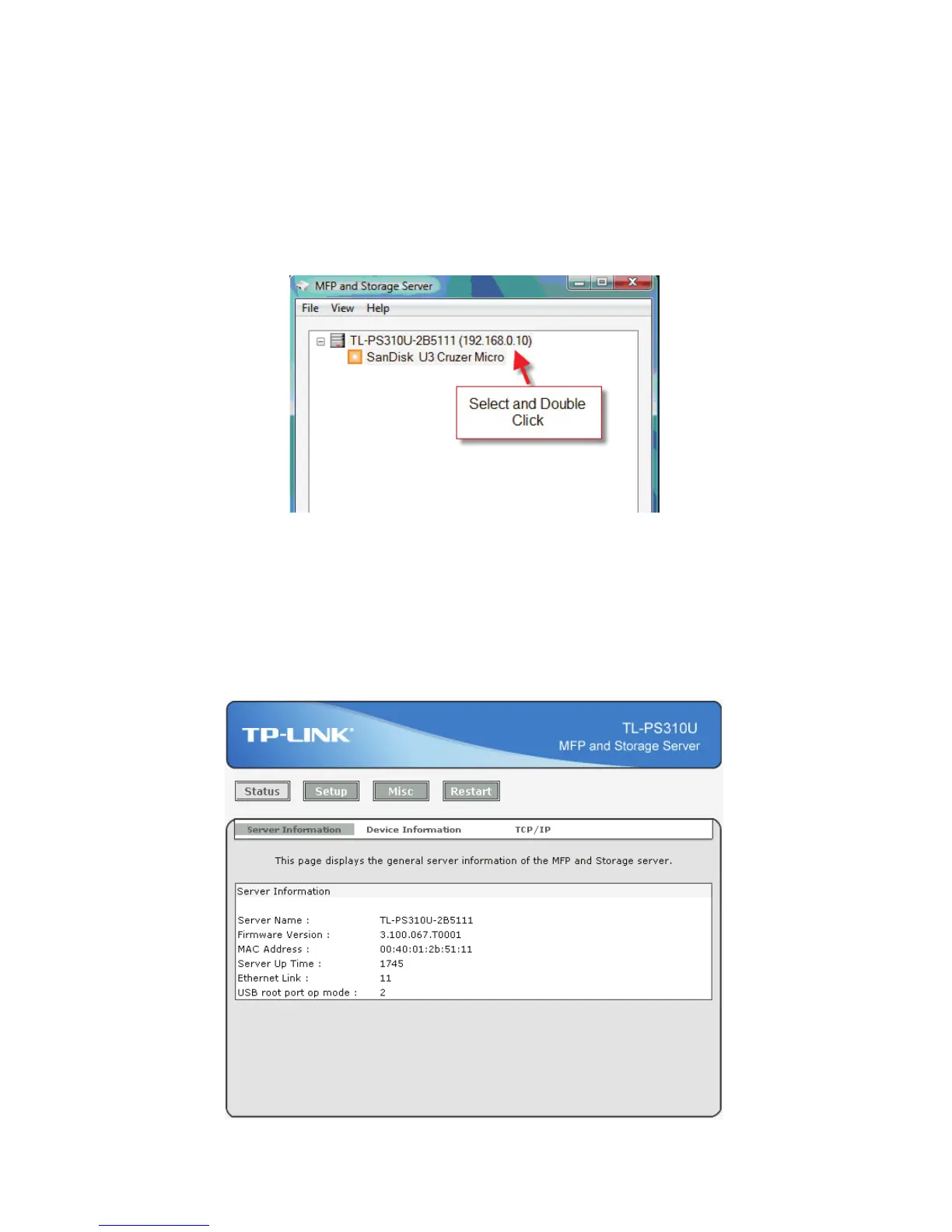
To Access WEB management interface in Windows 2000/XP/Vista, in the MFP and Storage Server setup
utility, select the “TL-PS310U-2B5111(192.168.0.10)” and double click, OS will open the browser
automatically and load the management webpage.
3.2 WEB Page Description
The WEB management interface provides a list of different options to choose from.
Status:
Displays the current MFP and Storage Server, connected USB devices and IP address information. The
interface is limited to support up to 4 USB devices.


 To Next Page