18
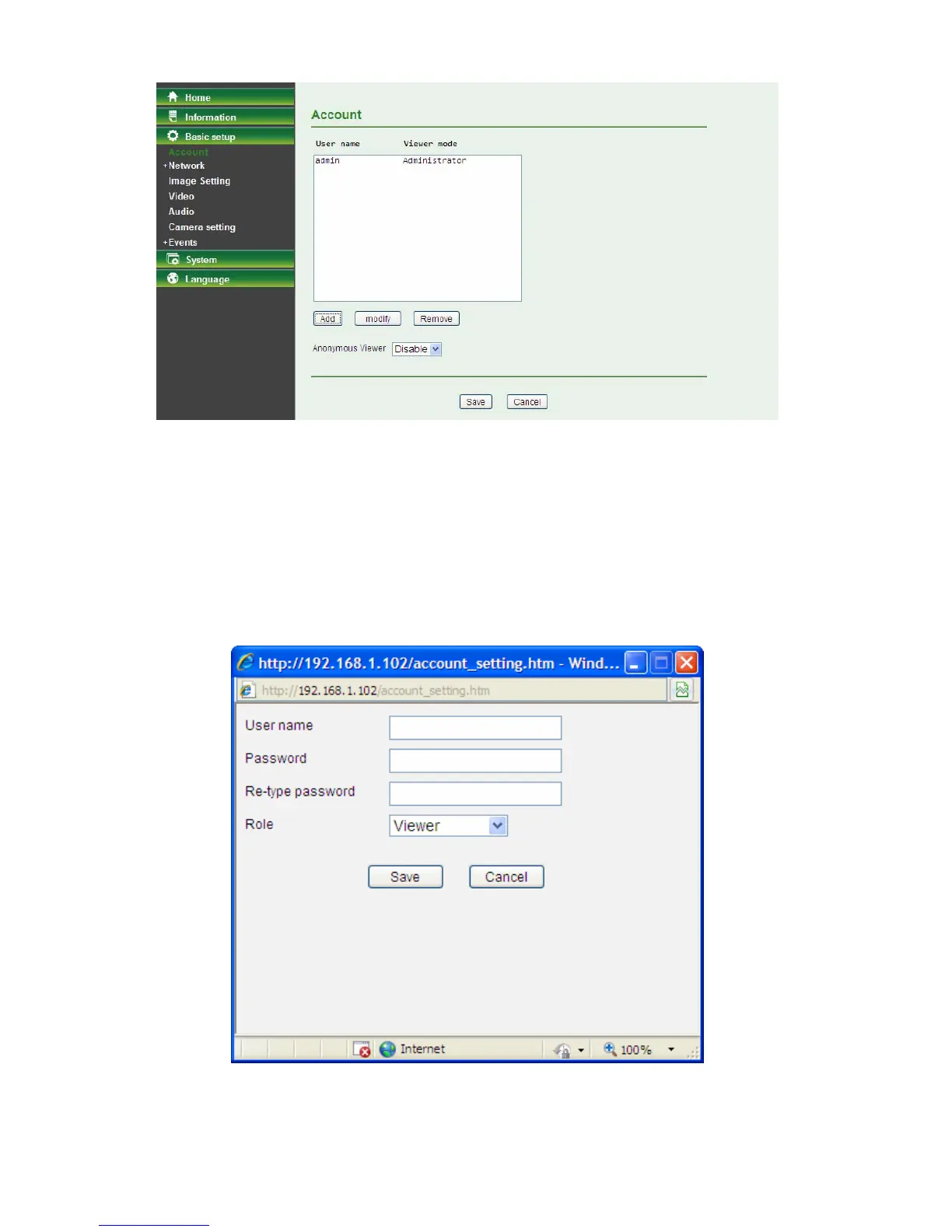
Add: Click this button to add a new account.
Modify: Click this button to edit the selected account.
Remove: Click this button to delete the selected account.
Anonymous Viewer: Select Disable and the anonymous viewers cannot access the Camera.
Select Enable to and the anonymous users can access the Camera in Viewer mode.
To add a new account, please follow the steps below:
1. Click the Add button.
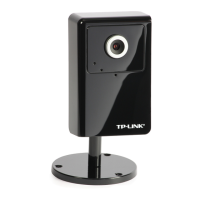
2. On the account-setting window as shown in the following figure, enter a User name and Password
for the account, then select a Role from the drop-down list. Click Save to apply the settings.
User Name: Set a user name for the account.
Password: Set a password for the account.
Re-type Password: Re-type the password to confirm.



 To Next Page