- 8 -
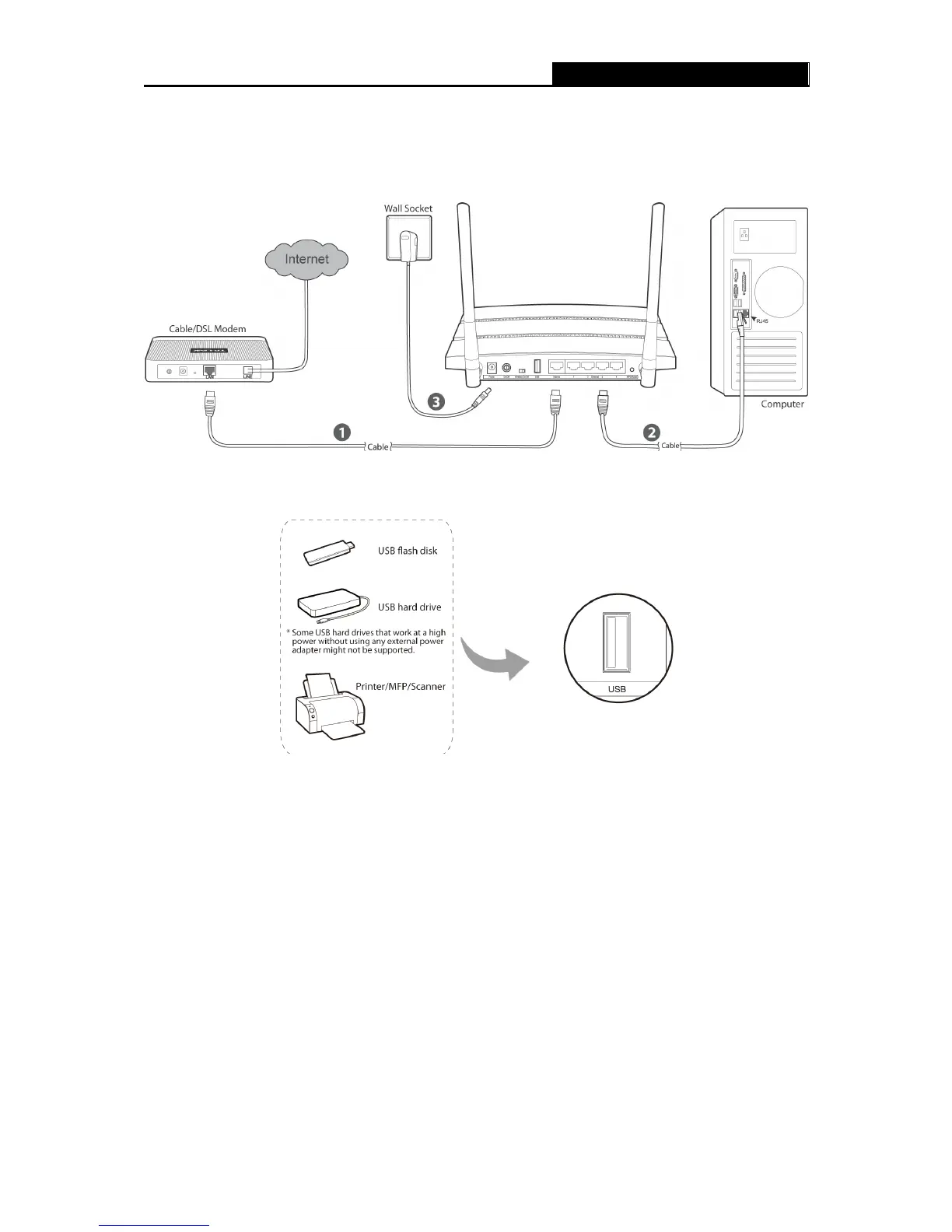
6. Connect the power adapter to the power socket on the Router, and the other end into an
electrical outlet, shown in Figure 2-1. The Router will start to work automatically.
7. Power on your Cable/DSL Modem.
Figure 2-1 Hardware Installation
Figure 2-2 USB Installation
Note:
If you want to use the Router to share files or printer, plug the USB storage device to the USB port
or connect the printer to the Router with a matching cable.













 To Next Page