- 67 -
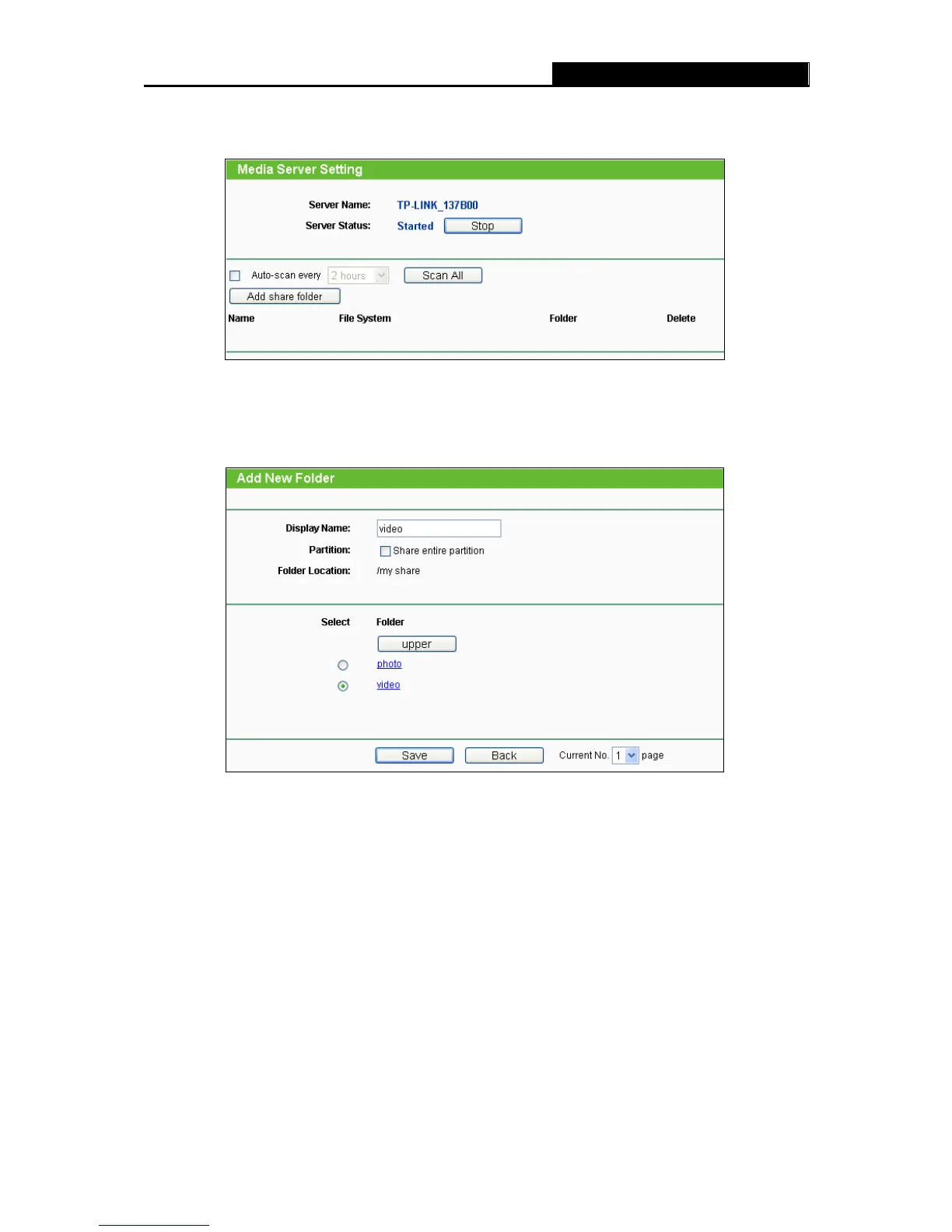
2. Click the Start button to start the media server, and then the screen will appear as shown in
Figure 4-59.
Figure 4-59 Media Server Setting
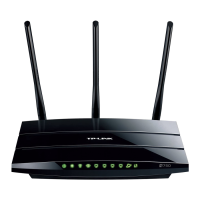
3. Click the Add share folder button to specify a folder as the search path of media server. The
screen will then appear as shown in Figure 4-60.
Figure 4-60 Add New Folder
Display Name - You can enter a display name for the share folder.
Share entire partition - Choose this option and then the folders contained in this partition
will all be shared.
Folder Location- Displays the location of this folder.
Select - Check the radio button to select the folder to share.
Folder - Displays folders that are in current path.
Upper - Click this button to get into the upper folder.
Save - Click this button to save your settings and the page will be redirected to the media
server configuration page.













 To Next Page