- 82 -
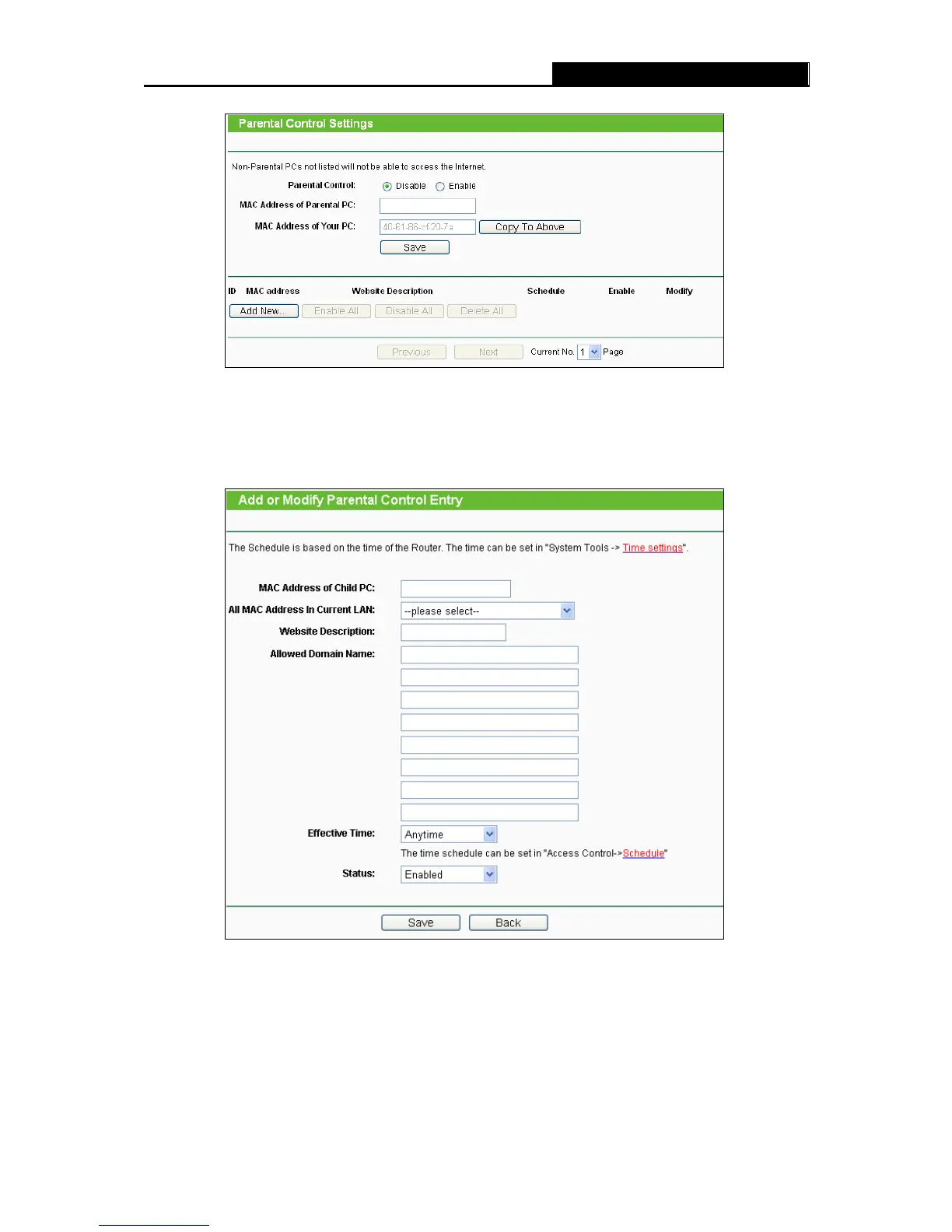
Figure 4-77 Parental Control Settings
To add a new entry, please follow the steps below.
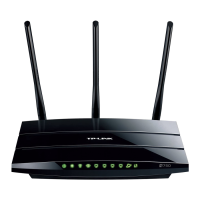
1. Click the Add New… button and the next screen will pop-up as shown in Figure 4-78.
Figure 4-78 Add or Modify Parental Control Entry
Parental Control - Check Enable if you want this function to take effect; otherwise, check
Disable.
MAC Address of Parental PC - In this field, enter the MAC address of the controlling PC, or
you can make use of the Copy To Above button below.













 To Next Page