21
Chapter 3
Conguring via Web Management Interface
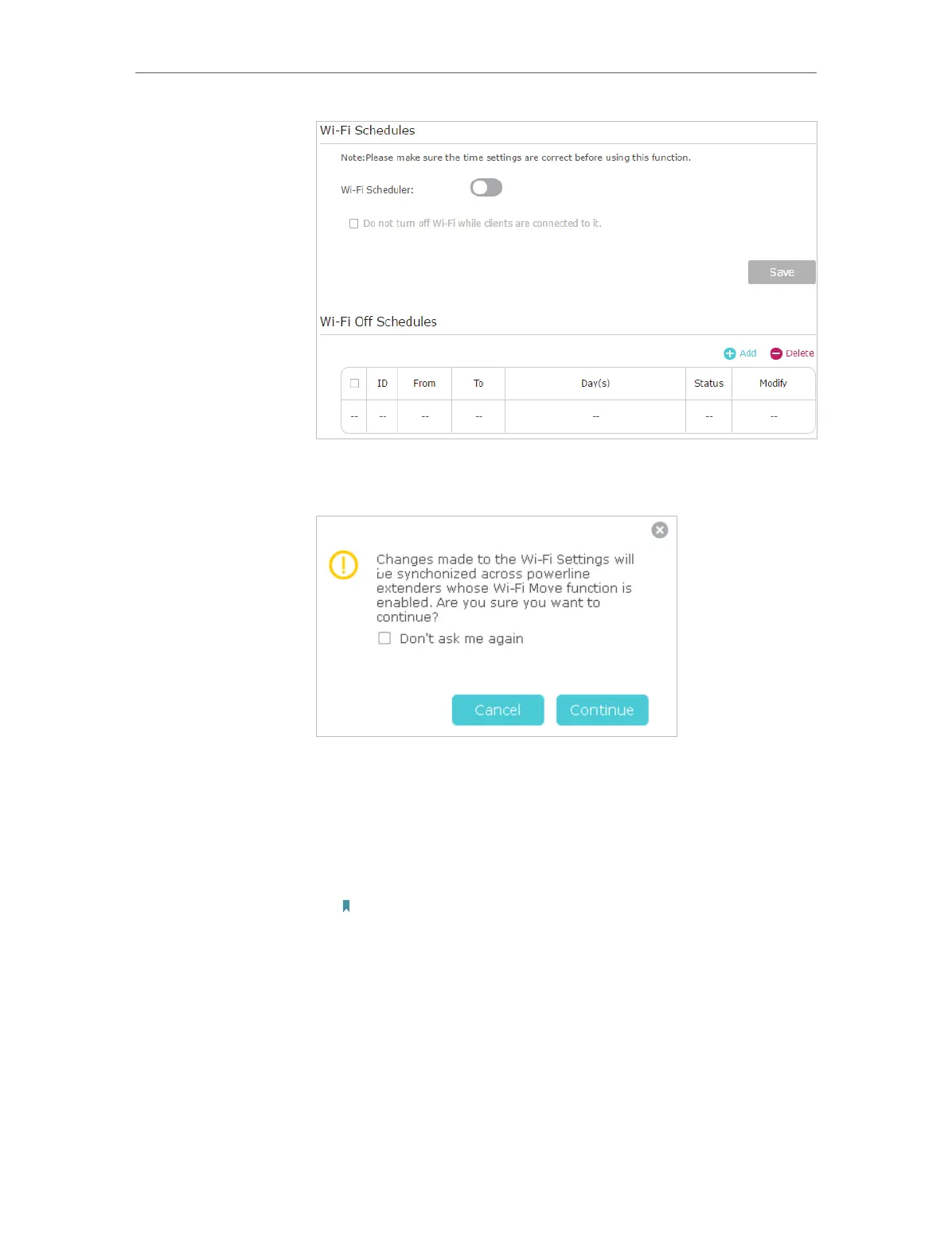
3. Toggle On to enable the Wi-Fi Scheduler. If you are prompted
like the following picture, click Continue.
4. Check the box of Do not turn off Wi-Fi while clients are
connected to it and click Save.
5. Click Add to add an entry.
6. Choose 00:00 and 7:00 from the drop-down list. Check all
boxes from Sunday to Saturday.
Note: Please make sure that the system time is correct before using this
function.
7. Click Enable this entry to make it effective.








 To Next Page