137
Chapter 6
Congure the Router in Access Point Mode
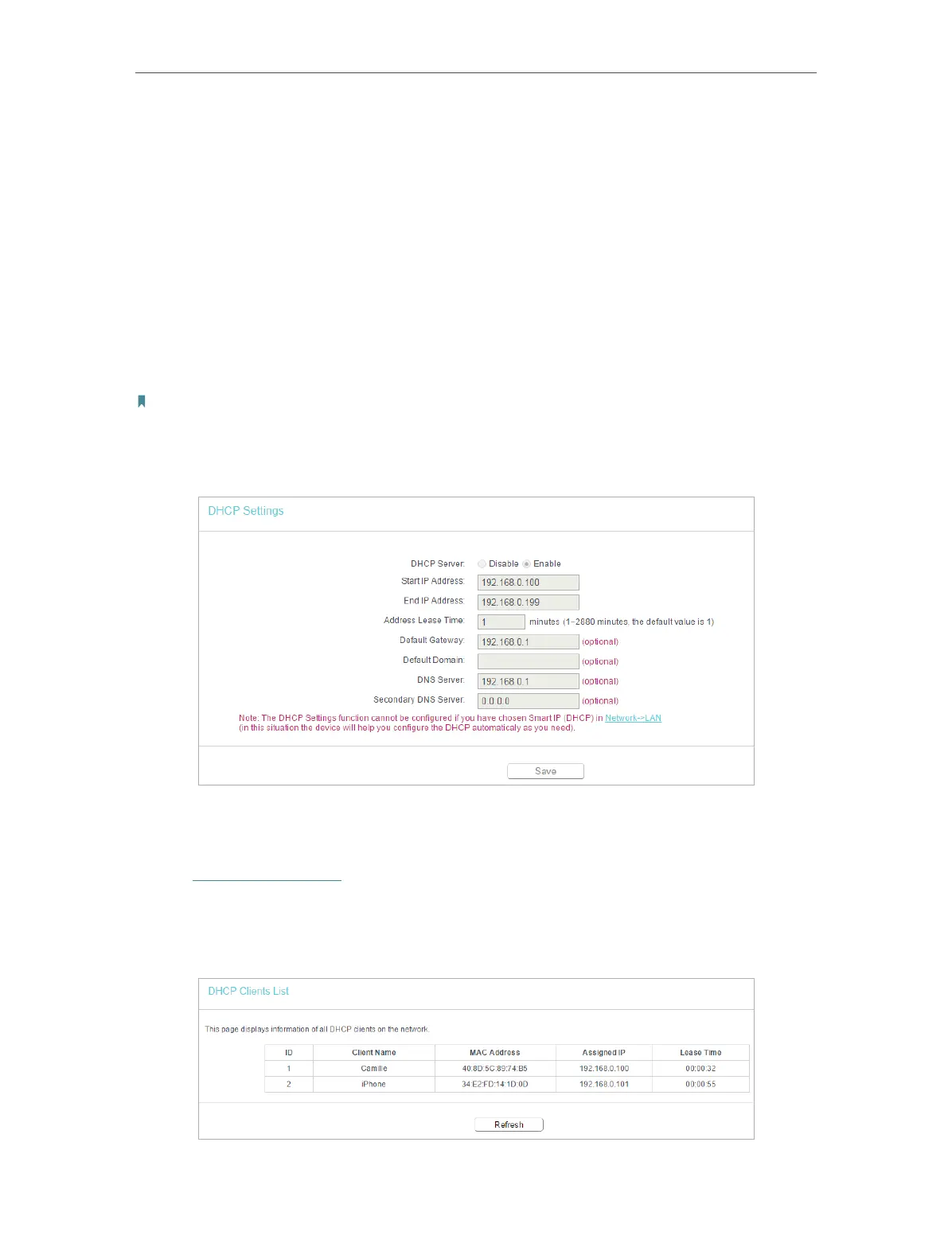
• Address Lease Time - The Address Lease Time is the amount of time a network user
will be allowed to connect to the router with the current dynamic IP Address. When
time is up, the user will be automatically assigned a new dynamic IP address. The
range of the time is 1 ~ 2880 minutes. The default value is 1.
• Default Gateway (Optional) - It is suggested to input the IP address of the LAN port of
the router. The default value is 192.168.0.1.
• Default Domain (Optional) - Input the domain name of your network.
• DNS Server (Optional) - Input the DNS IP address provided by your ISP.
• Secondary DNS Server (Optional) - Input the IP address of another DNS server if your
ISP provides two DNS servers.
Note:
• To use the DHCP server function of the router, you must configure all computers on the LAN as Obtain an IP Address
automatically.
• When you choose Smart IP(DHCP) in Network > LAN, the DHCP Server function will be disabled. You will see the page
as below.
6. 5. 2. DHCP Clients List
1. Visit http://tplinkwifi.net, and log in with the username and password you set for the
router.
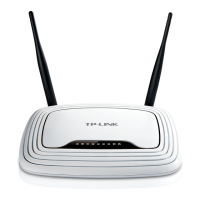
2. Go to DHCP > DHCP Clients List to view the information of the clients connected to
the router.












 To Next Page