67
Chapter 4
Configure the Router in Wireless Router Mode
1. Visit http://tplinkwifi.net, and log in with the username and password you set for the
router.
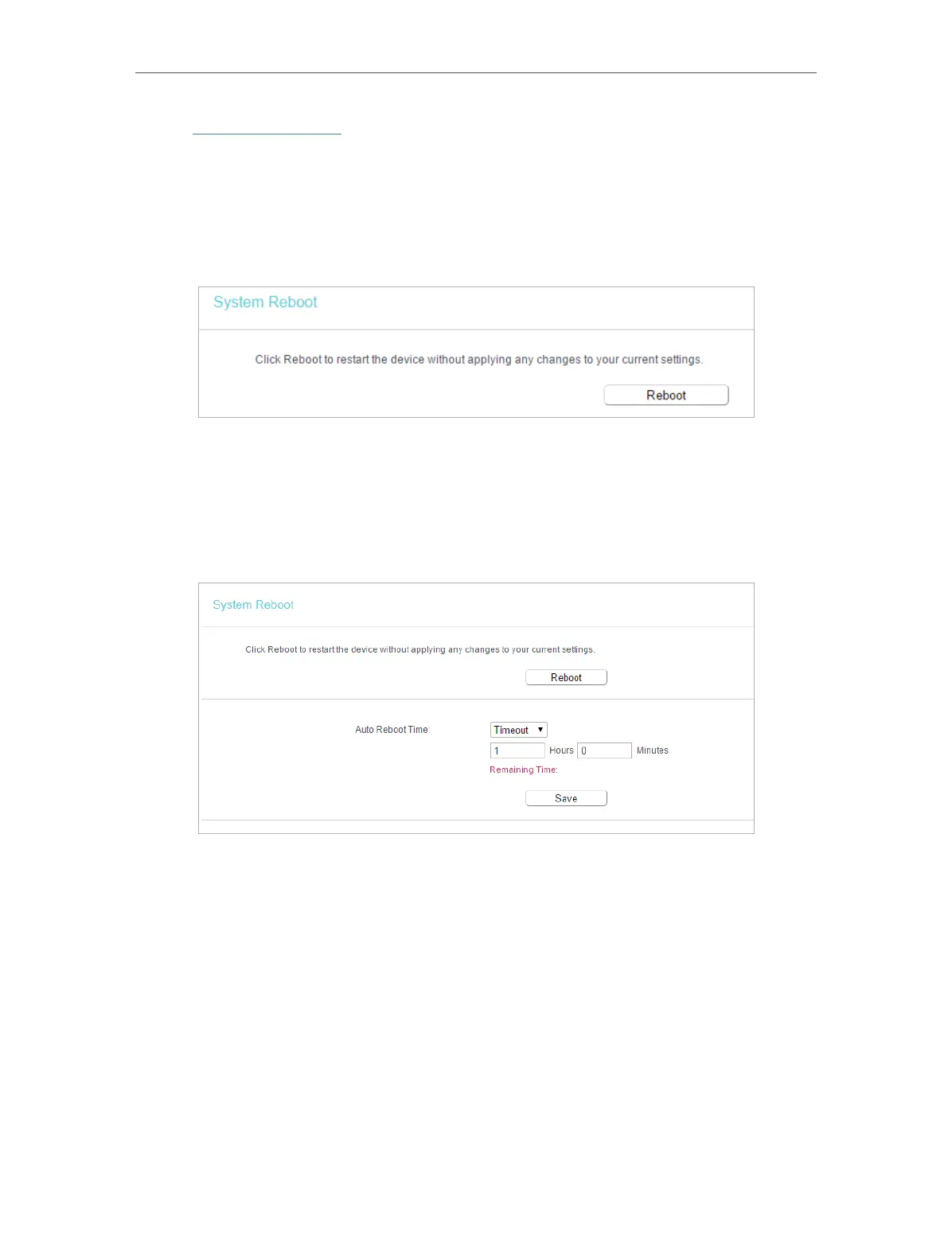
2. Go to System Tools > Reboot, and you can restart your router.
¾ To reboot the router manually:
Click Reboot, and wait a few minutes for the router to rebooting.
¾ To set the router reboot every a couple of hours:
1. Select Timeout from the Auto Reboot Time drop-down list.
2. Specify a time interval. The router will reboot automatically after every this interval.
3. Click Save.
¾ To schedule the router to reboot at a specific time:
1. Select Schedule from the Auto Reboot Time drop-down list.
2. Specify the Day(s) and Time for the router to reboot.
3. Click Save.


 To Next Page