10
Front panel controls
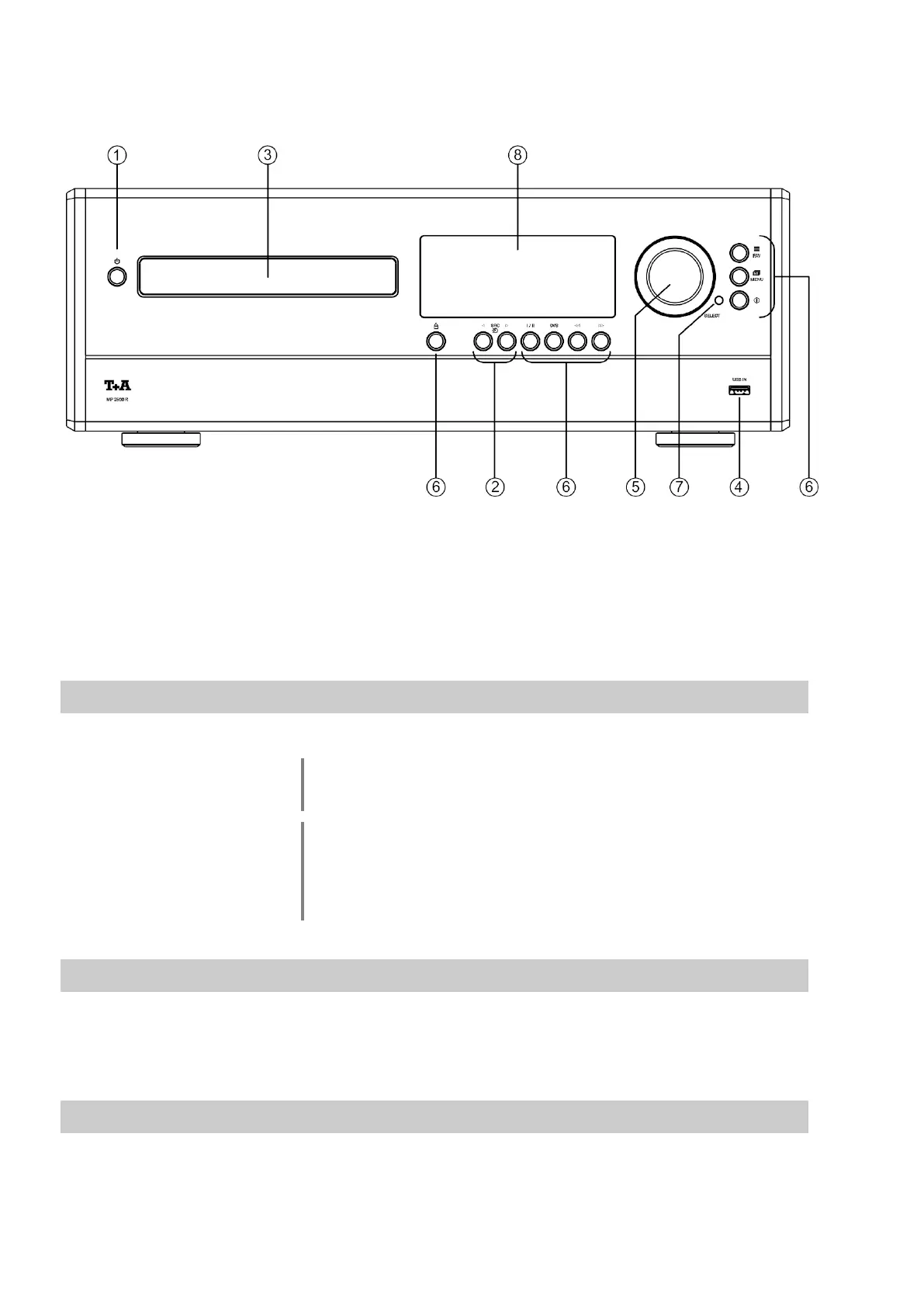
All the important functions of the MP 2500 R can be controlled using the buttons and the rotary knob on the front panel.
Direct-acting buttons are provided for fundamental functions such as source select. Functions which are needed less
frequently are controlled using a menu which is called up by pressing the button.
All information relating to the machine’s state are displayed on the integral screen. The following section explains the
functions of the buttons on the machine, and the information provided on the screen.
A brief press on the button switches the unit on and off.
In Comfort Standby mode the button of the MP 2500 R glows dimly to
indicate its state of readiness. In Eco Standby mode the button is not
lit. (see chapter ‘Basic settings of the MP 2500 R')
Caution!
The mains button is not an isolation switch. Certain parts of the machine remain
connected to mains voltage even when the screen is switched off and dark. If
you know you will not be using the machine for a long period, we recommend
that you disconnect it from the mains by withdrawing the mains plugs from the
wall socket.
Pressing one of these buttons selects the desired listening source. Press one of
these buttons repeatedly if neccessary until the desired listening source appears
on the screen.
The drawer is opened and closed by pressing the button.
If you press the / button after placing the CD in the machine,
the drawer closes and playback starts with the first track.
The open drawer also closes if you enter the number of a track using the remote
control handset.



 To Next Page