Need help?
Do you have a question about the Tracer ROADSTER and is the answer not in the manual?
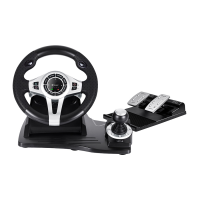
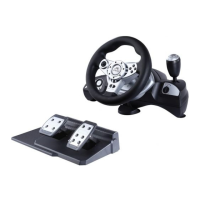
Product overview, features, and ergonomic design for enhanced gaming.
Details compatibility with PS3, PS4, XBOX One consoles and Windows OS.
Outlines the D-pad, analog, and digital button configurations on the steering wheel.
Covers home button, LEDs, relocation feature, turning range, sensitivity, and pedal mechanics.
Explains connecting the original controller for PS4/XBOX ONE authentication.
Lists source buttons and programmable buttons for function assignment.
Details how to set, clear single, and clear all programmed functions.
Explains programming pedals and wings as Y-axis functions.
Describes the process for adjusting wheel sensitivity levels.
Instructions for connecting and using the wheel with a PS3 console.
Steps for connecting and playing with a PS4 console.
Warns about default PS4 controller mapping and customization limits.
Instructions for connecting and using the wheel with an XBOX ONE console.
Guide for downloading drivers and connecting the wheel to a PC.
Procedures for testing buttons, axes, and calibrating the wheel.
Instructions for removing the steering wheel driver software.
Solutions for connection problems, unresponsiveness, and malfunctions.
 General
| Connectivity | Wired |
|---|---|
| Interface | USB |
| D-Pad | Yes |
| Vibration Feedback | Yes |
| Cable Length | 1.8 m |
| Supported platform | PC |
| Analog Sticks | 2 |


 To Next Page