Installation Instructions – Lexus IS, July 2013 > Issue: 1.0
TRACKER Network (UK) Ltd Date: 01/07/2013
TRACKER Technical Support
BEFORE COMMENCING! Refer to Section:
‘General Information’
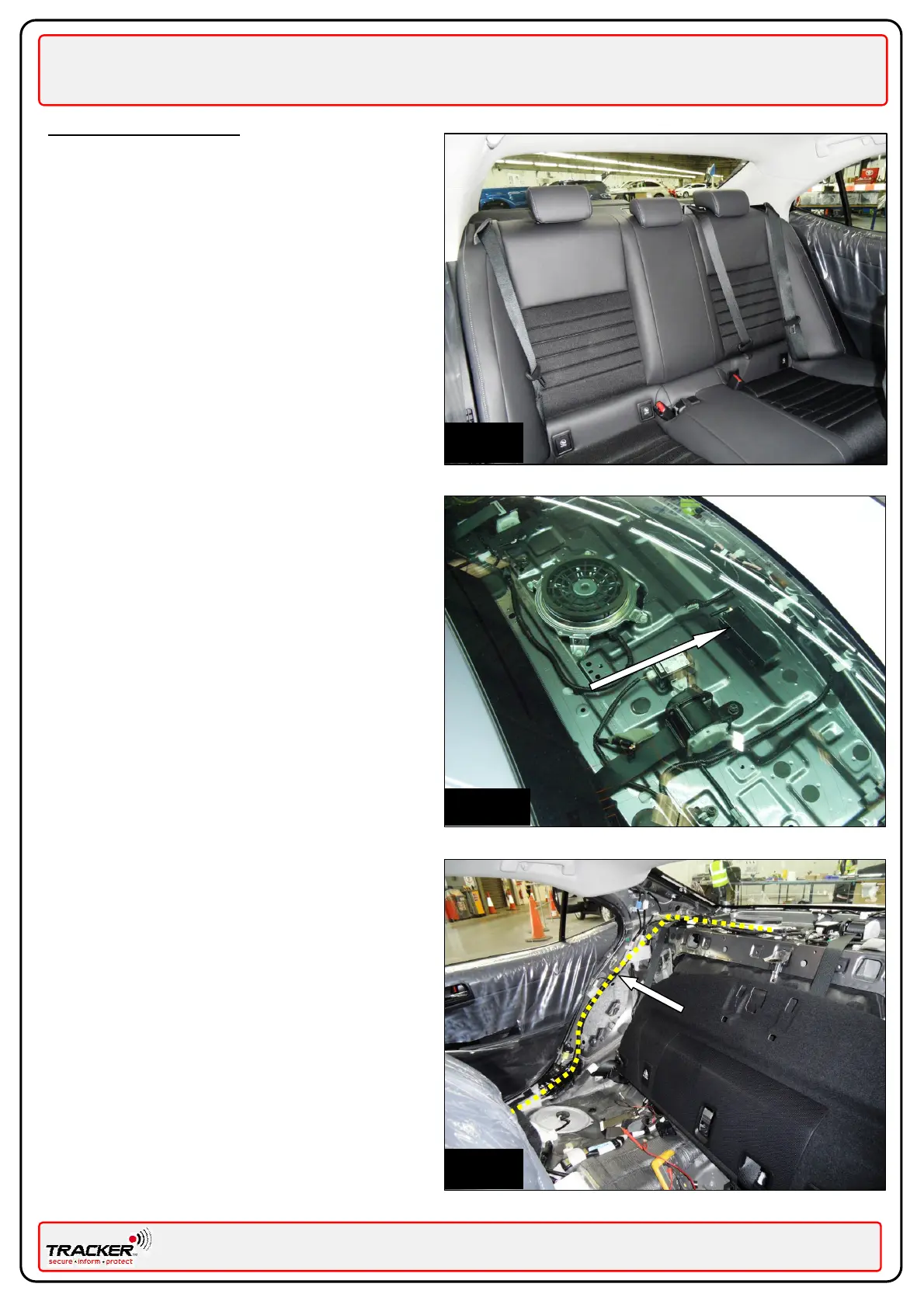
Panels to remove:
Fig. 1
Rear Seats.
Near Side rear sill trims.
Off Side rear sill trims.
Near Side “C” pillar trim.
Off Side “C” pillar trim.
Parcel Shelf.
In accordance with the Lexus Service Manual.
Mounting the TRACKER unit (VLU)
Fig. 2 – Mount the VLU in the location shown using
the supplied butyl tape or a suitable double sided
tape.
Routing the VHF antenna
Fig. 3 – Route the VHF antenna (BLACK/WHITE
wire) as shown by yellow line. Cover the wire with
looming tape, to match the vehicle’s existing
wiring harness, in order to disguise the antenna.
Ensure the VHF antenna is not secured directly to
the metal work by using a felt strip to separate
the antenna from the metalwork.
cable
Plus location
Route


 To Next Page