Trackunit 501 DualID
©Trackunit 2017
User guide
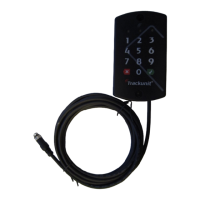
Trackunit DualID II
Using key pad:
1. Type pin code
2. Confirm with
3.
Green light in LED3 indicates authorized ID
Begin operation.
Using RFID card:
1. Present card in front of reader
2.
A beep signal indicates card is read ok
3.
Green light in LED3 indicates authorized ID
Begin operation.
Info:
•
Yellow light in LED1 indicates the unit has power
• Cancel key input with
• Red flash
in LED3 when input is cancelled
• There is a 10 sec. time
•
Don’t use RFID card and pin simultaneously
• LED2 is not in use
Installation check
Go to :
http://verify.trackunit.com/
Enter serial number of the unit being installed.
Green light in LED3 indicates authorized ID
A beep signal indicates card is read ok
Green light in LED3 indicates authorized ID
Yellow light in LED1 indicates the unit has power
in LED3 when input is cancelled
Don’t use RFID card and pin simultaneously
Verify my Trackunit”
http://verify.trackunit.com/
Enter serial number of the unit being installed.
LED indications
LED
Yellow
Green
-
Red
-
LED 1
7001.0084 v1.2 23032017
LED 2 LED 3
- -
- ID ok
- ID cancel
LED 3
Keypad and
RFID card
reader
2


 To Next Page