11/29/2009
14
Home Server Console – Server Backup
D03_ WHS_PP1_UK
The Home Server can not only backup all of your PCs, it can back itself up to a removable HDD.
This means that valuable information (folders) can be backed up and the data removed to another location for
safe keeping.
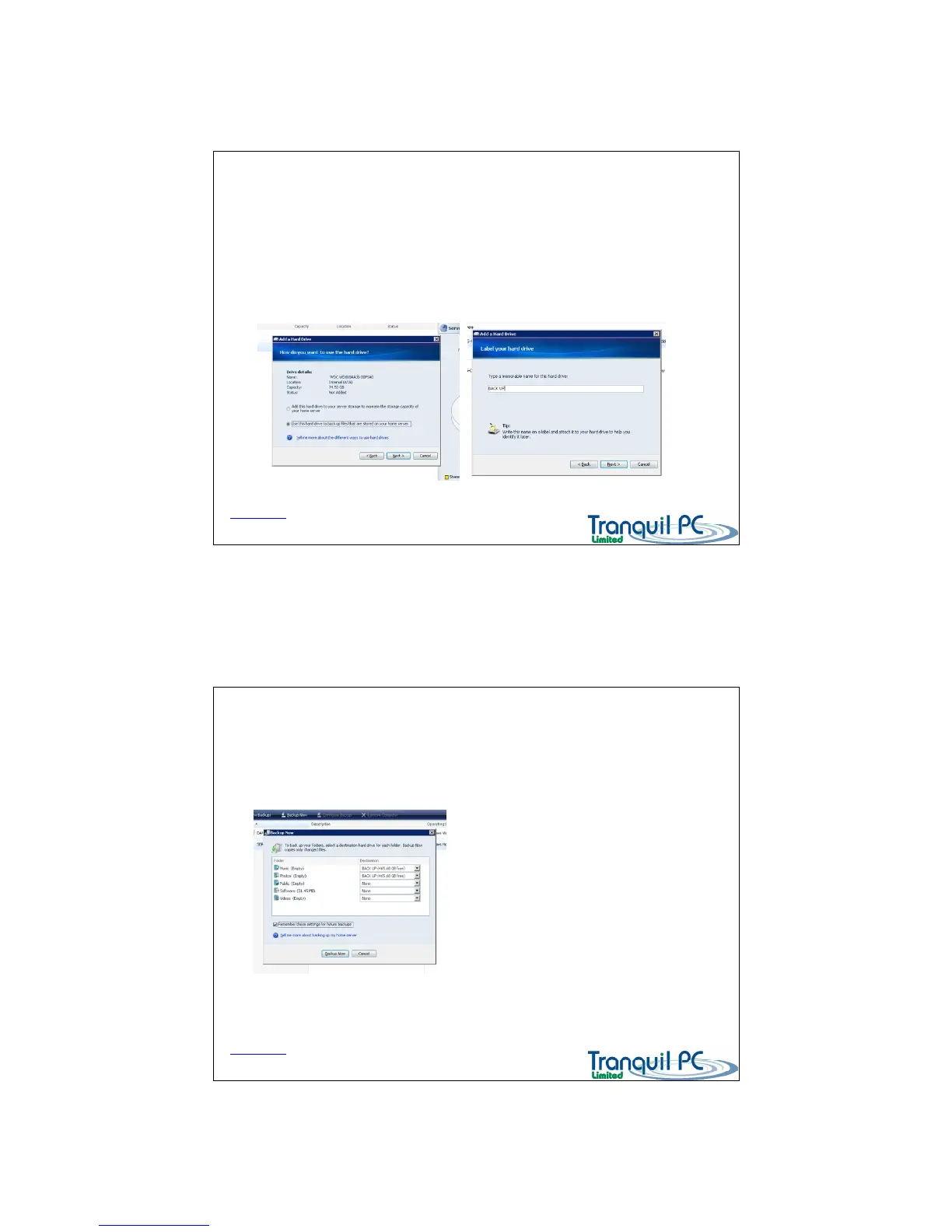
Once a HDD has been added as a ‘Backup’ drive (see below Adding a HDD – Console), you can open ‘Server
Storage’ and set up a Server Backup sequence.
Back to Index page
Home Server Console – Server Backup
D03_ WHS_PP1_UK
Once you have opened the Server - you can select which folders you wish to be backed up to
the newly added ‘backup HDD’
After you have selected the folders you
want to back up, please click ‘Remember
these settings for future backups.
This setting is used when you use the one
touch backup button
Back to Index page


 To Next Page