11/29/2009
13
Home Server Console –
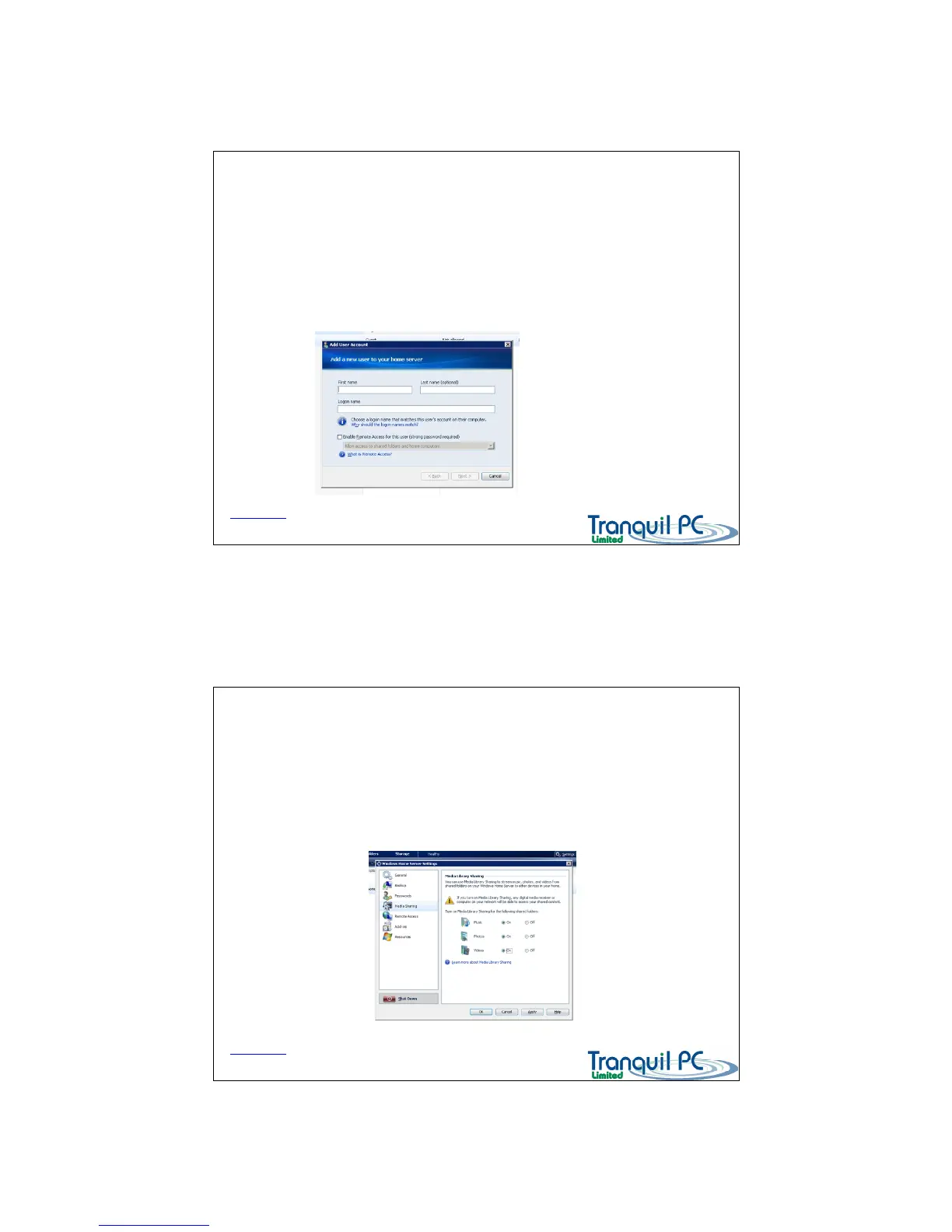
Creating a User account
D03_ WHS_PP1_UK
You can create accounts for both local and remote family members.
If you want to set up an account for ‘remote access’ to a specific folder, then the user must use a ‘strong’
password.
When setting up local users, if you use logon names and passwords the same as the local PC they are using,
these users will automatically be able to logon to their shared folders, saving time.
Back to Index page
Home Server Console – Share your Media
D03_ WHS_PP1_UK
The Home Server has a built in Media Sharing Server. This means that many of today’s Digital Media Players or
Digital Media Receivers can stream music etc from the Home Server, very easily.
The Home Server’s Media Server is based on Windows Media Connect 2 (WMC2).
You need to enable Media Sharing, by using the Settings tab on the Console – then selecting Media Sharing, as
shown below
Back to Index page


 To Next Page