9
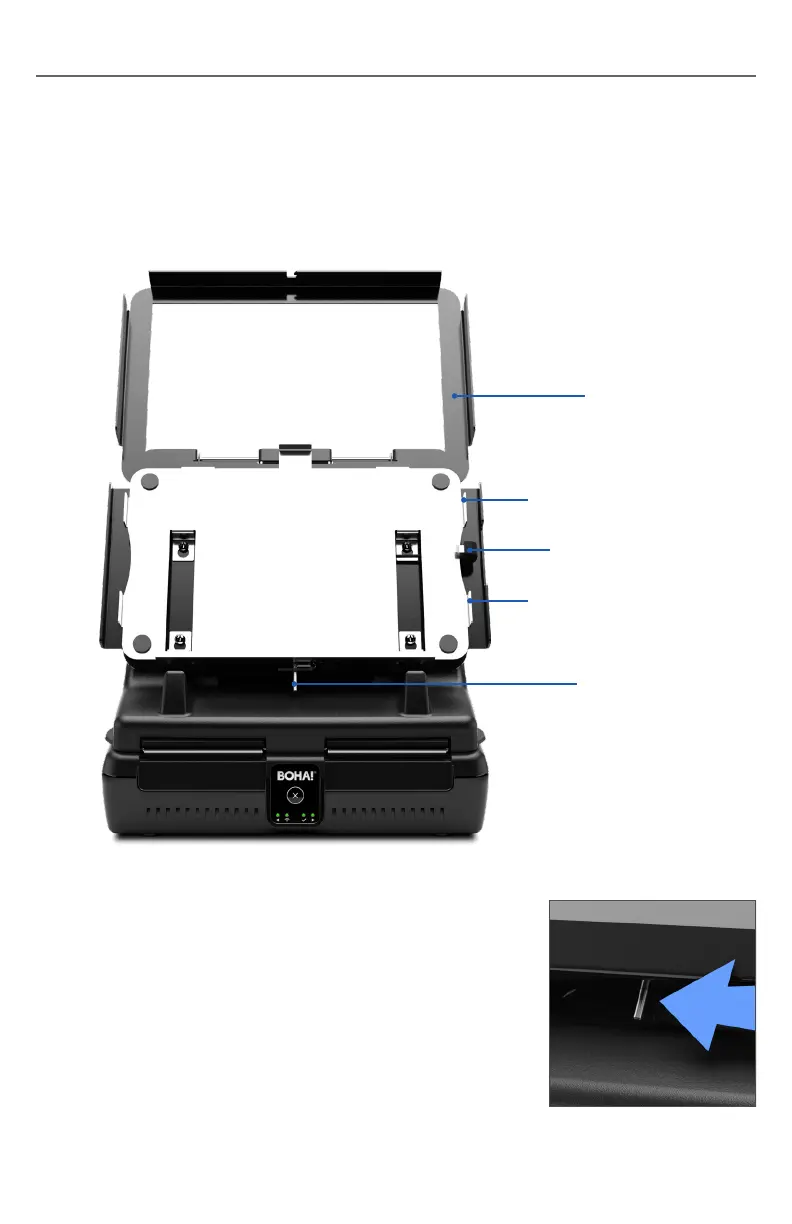
Fig.4
TABLET MOUNT OPTION
If the BOHA!
®
WorkStation was shipped with the tablet mount option, use the
following instructions to mount a tablet onto the WorkStation.
Note: The tablet mount option currently supports the iPad Generation 8 (or iPads
with similar dimensions).
Installing the Tablet:
1. Open the tablet mount front cover.
a. Locate the locking lever on the bottom of the
mount and push and hold it to the left to release
the cover (see Fig. 4).
Locking Lever
Right Alignment Tab
Charging Cord
Power Connector
Right Alignment Tab
Tablet Mount
Front Cover


 To Next Page