11
TABLET MOUNT OPTION
Connecting the Charging Cord:
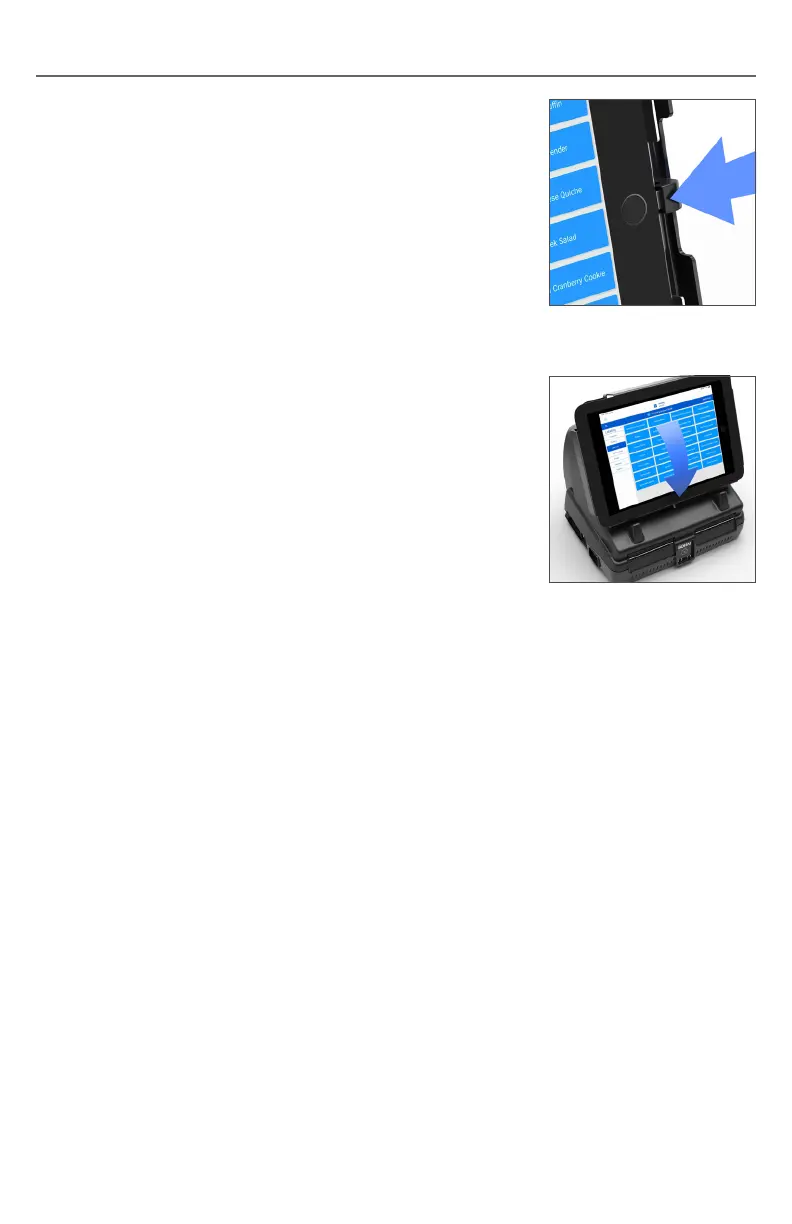
1. Support the tablet with your left hand, and plug in
the charging cord as shown in Fig. 8.
When the charging cord is connected, make sure
that the right edge of the tablet is flush with the
two right alignment tabs, then gently set the tablet
backward into position in the mount.
Removing the Tablet:
To remove the tablet, reverse the installation procedure:
1. Push and hold the locking lever to the left.
2. Lift the front cover all the way up and release the lever.
3. Unplug the charging cord.
4. Remove the tablet.
5. Close the cover and snap it into place.
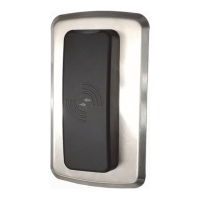
2. To secure the tablet, close the front cover and
gently push on the bottom edge to snap it into
place (Fig. 9).
Fig.8
Fig.9


 To Next Page