13
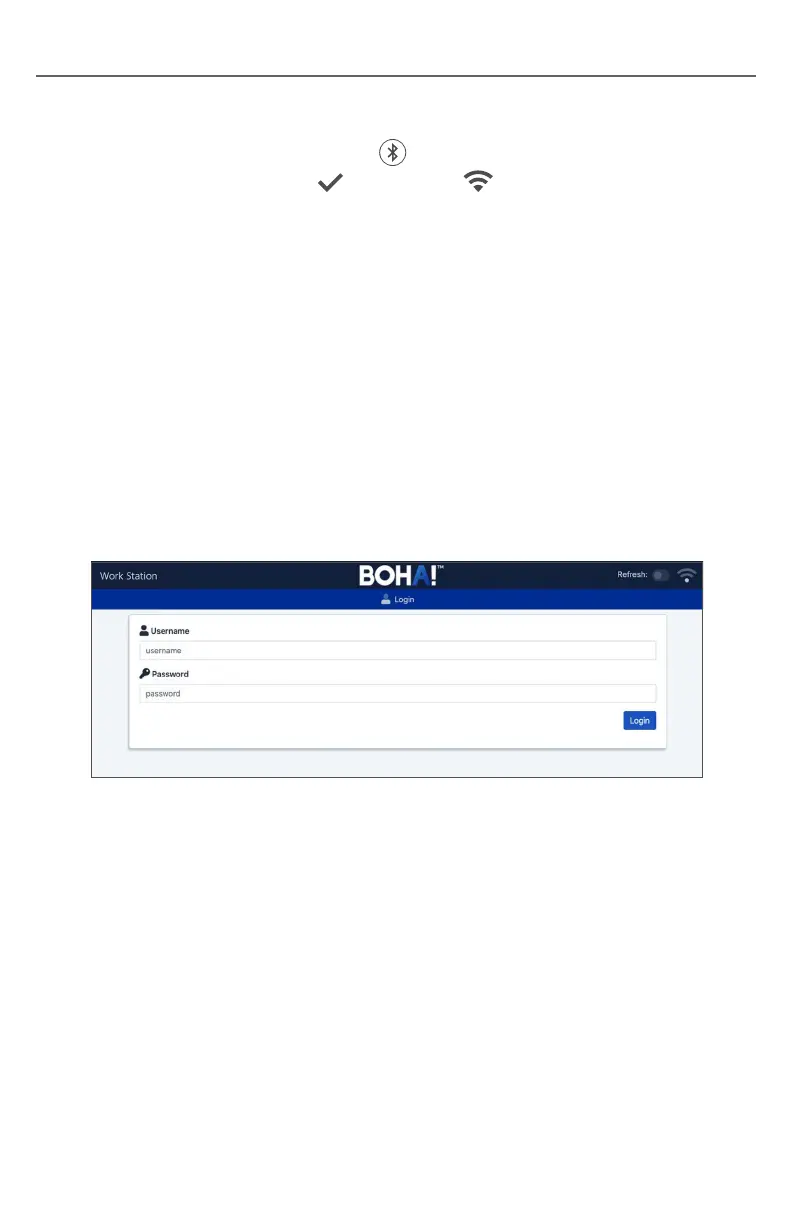
Login Page
Option 2 – Manual Network Configuration:
1. Press and hold the Bluetooth button on the left side of the BOHA!
®
WorkStation until the System and Network
LEDs both begin flashing.
2. On a tablet or PC select Settings – Wi-Fi and choose the network
BOHA-AP XXYYZZ. XXYYZZ will be unique to each BOHA! WorkStation.
3. Join the network using the password Fst20Bomax
4. Open a web browser and enter the following IP address to access the BOHA!
WorkStation configuration portal: 10.42.0.1:1337
Login Page
1. Enter “Admin” for the username. Enter “Tr@ns@ct” for the password.
Note: These settings may be updated later on the User Administration Page.
NETWORK CONNECTIONS


 To Next Page