6
SETTING UP BOHA!
®
WORKSTATION
1. Remove the BOHA! WorkStation from its
protective packaging.
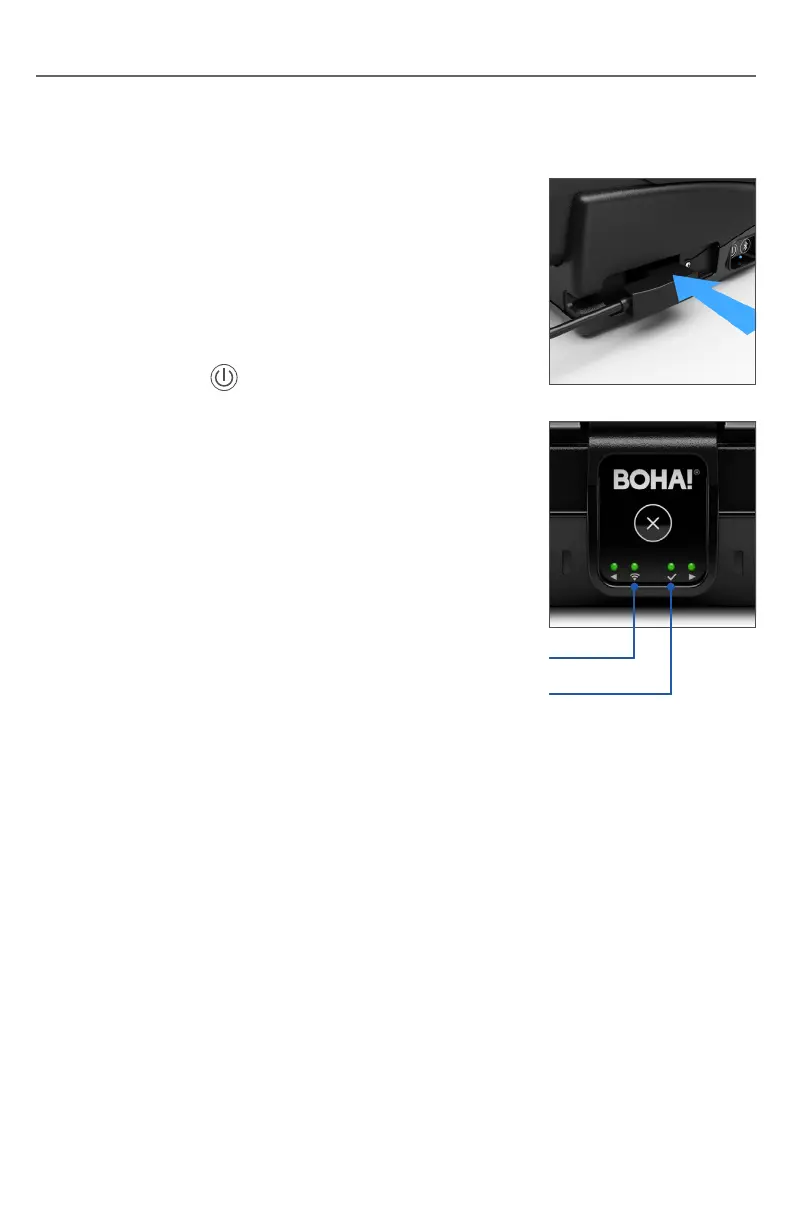
2. Connect the AC power cord to the side of the
BOHA! WorkStation as shown and plug into
a power source. The BOHA! WorkStation will
automatically power on when connected to power.
3. If the BOHA! WorkStation does not start
automatically, or restart from a shutdown, press
the Power button until the LEDs illuminate.
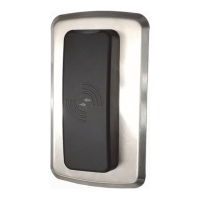
4. The BOHA! WorkStation Printer Status LEDs will
illuminate immediately, but the BOHA! WorkStation
will take approximately another 45 seconds to fully
initialize. The initialization is complete when the
green System Status LED turns on. The Network
Status LED may blink or be solid green depending
on the state of the network connection.
Network Status Light
System Status Light


 To Next Page