7
LABEL LOADING
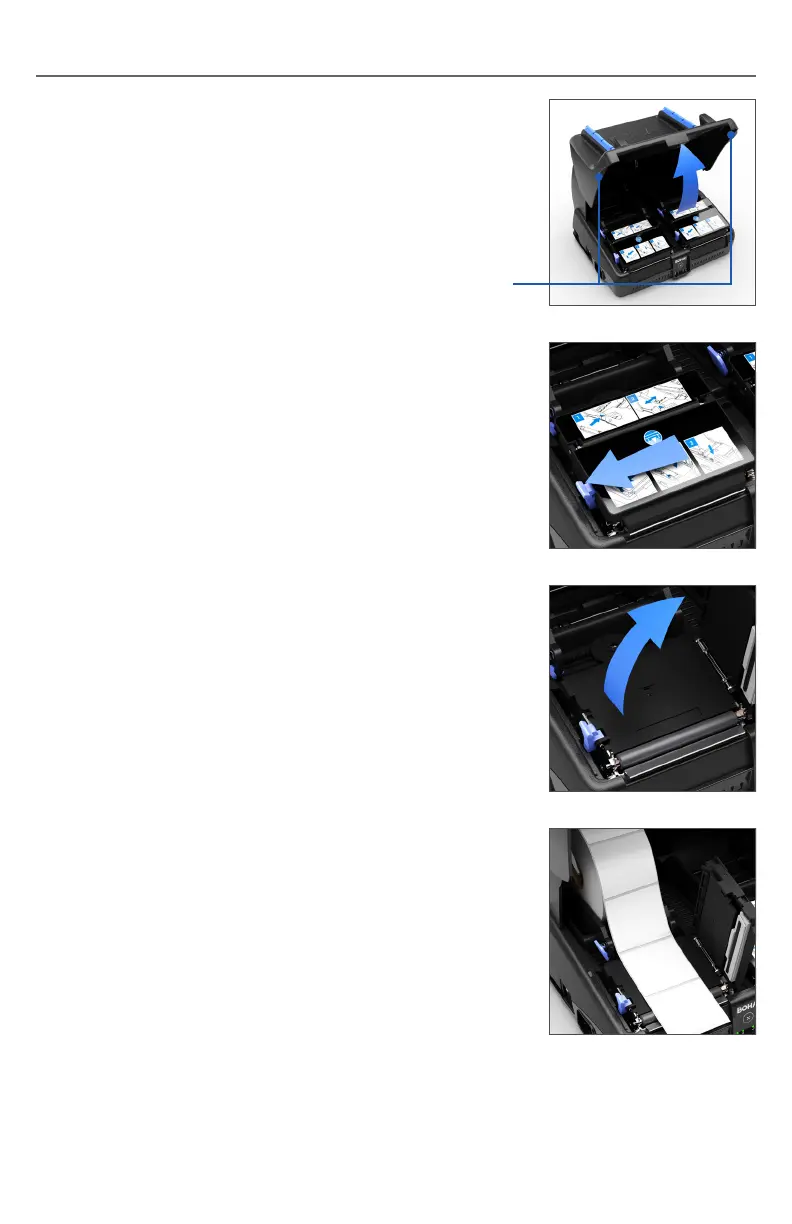
1. If there is a tablet on the BOHA!
®
WorkStation,
remove it before opening the front cover.
Open the front cover of the BOHA! WorkStation
by lifting on the tabs on either side of the cover.
Note: Depending on the version
that was ordered, your BOHA!
WorkStation may not have a printer
mechanism installed on the right side.
2. Open the mechanism cover by moving the
blue cover release lever to the left.
Lifting Tabs
3. Place the rolls in the label bucket and feed the
labels from the top through the center of the
label path.


 To Next Page