EasyManua.ls Logo

Transcell Technology tcs3t series - User Manual

Transcell Technology tcs3t series
20 pages
Print Icon
To Next Page IconTo Next Page
Loading...
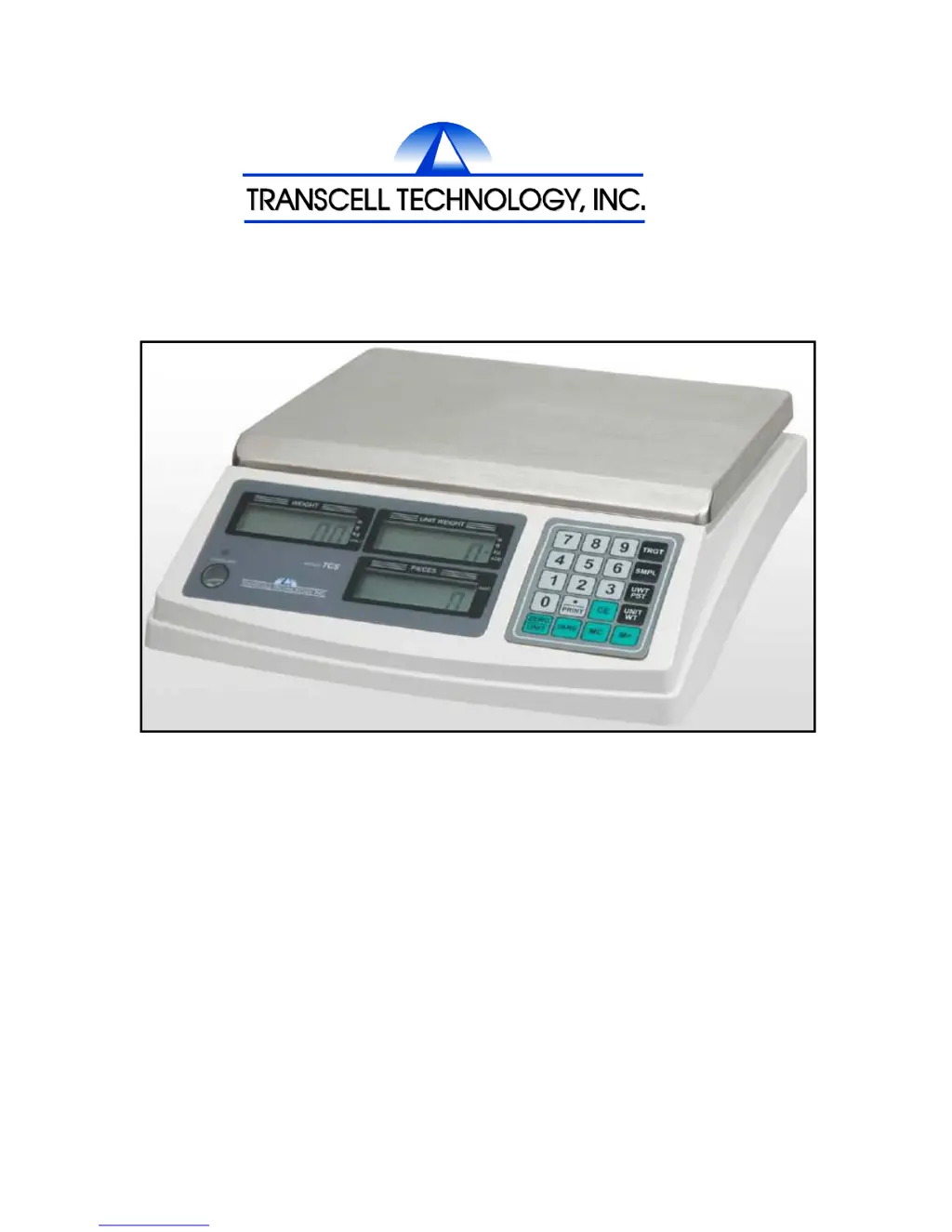
MODEL
TCS3T Series
DIGITAL COUNTING SCALE
User Manual
Revision 1.3
March 17, 2014

Questions and Answers

  • P
    Paul HernandezAug 1, 2025
    What to do if my Transcell Technology Scales do not operate?
    • H
      hawkinstiffanyAug 1, 2025
      If your Transcell Technology Scales are not operating, there are a couple of things you can check: * Make sure the power switch (located underneath the scale) is in the ON position. * The internal battery may be discharged, so try recharging it.
  • C
    Christopher WallaceAug 16, 2025
    Why are my Transcell Technology tcs3t not stable?
    • P
      Pedro AdamsAug 16, 2025
      If your Transcell Technology Scales are not stable, it might be due to: * A breeze, draft, vibration, or some other kind of interference in the area. Try to eliminate the source of the interference, or move the scales to another area. * Foreign objects wedged between the tray and the upper housing. Remove the tray and inspect for, and remove, any foreign objects.

Summary

Introduction

Specifications

Safety Tips

Routine Maintenance

Cleaning guidelines for the scale's exterior and display window.

Preparing the Scale for Use

Parts Illustration

Display Information

Digital Display Screens

Details on the Weight, Unit Weight, and Pieces display segments.

Annunciators and Symbols

Explanation of symbols like TARE, ZERO, battery status, STABLE, ACC, ADD, units, and ERR.

Keypad Information

Main Functions

Counting Operations

Detailed steps for piece weight unknown and piece weight known counting methods.

Piece Accumulator

Instructions for accumulating, recalling, and clearing piece counts.

Weighment Accumulator

Procedures for accumulating, recalling, and clearing weighments.

Programming Preset Unit Weights

Guide to saving and recalling up to 10 preset piece weights.

Target Value Setup

Steps to program a target quantity for counting alarms and display.

Taring Operations

Instructions for taring when container weight is unknown or known.

Zeroing the Scale

Procedure for zeroing the scale and understanding zero range effects.

Backlighting Setup

Guide to configuring AUTO, ON, or OFF backlighting modes.

Serial Port Information

Serial Port Hardware

Details on the RS-232C DSUB9 connector and pin assignments.

Communication Parameters

Default communication settings: Baud Rate, Data Bits, Parity, and Stop Bits.

Serial Port Operation

Using the /PRINT key and M+ key for scale ticket printing.

Limited Warranty

Troubleshooting

Transcell Technology tcs3t series Specifications

General IconGeneral
Safe Overload150% of Rated Capacity
Zero Balance±1% of rated output
Input Resistance350 Ω ± 3 Ω
Output Resistance350 ± 3 Ω
Insulation Resistance>5000 MΩ at 50 VDC
Compensated Temperature Range-10°C ~ +40°C
Cable Length3m
Rated Capacities (lb)50, 100, 200, 500, 1000
Rated Capacities (kg)50, 100, 250, 500

Related product manuals