Disconnecting from a Computer
Always follow the procedures listed below before you disconnect the MP300.
Disconnecting the MP300 in Windows
2000, XP and Vista
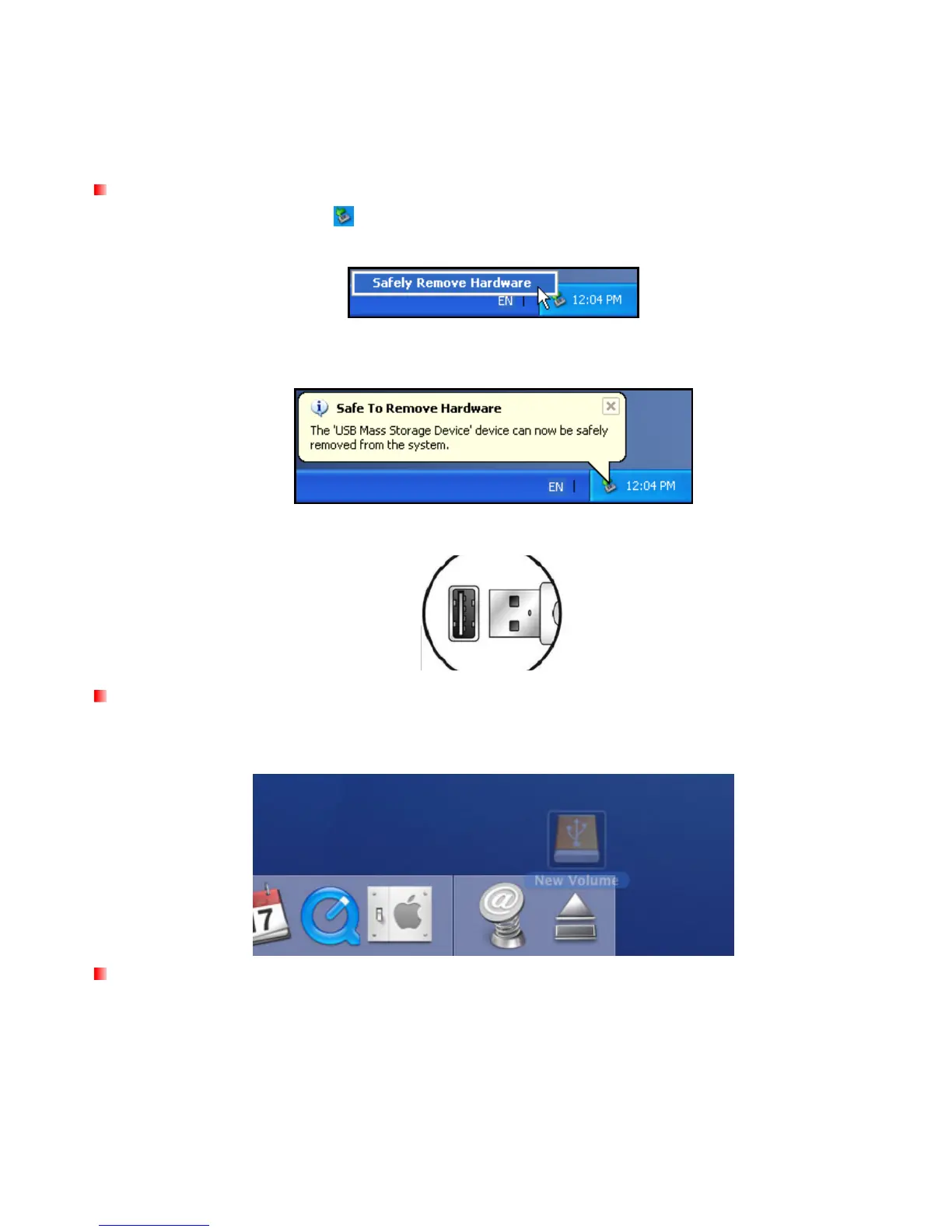
1. Select the Hardware icon in the system tray.
2. The Safely Remove Hardware pop-up window will appear. Select it to continue.
3. A message window will appear stating: “The ‘USB Mass Storage Device’ device can now be safely
removed from the system.”
4. Unplug the MP300 from your computer.
Disconnecting the MP300 in Mac
OSX 10.0 or Later
1. Drag the Disk icon that corresponds to your MP300 into the trashcan.
2. Unplug your MP300 from the USB port
Disconnecting the MP300 in Linux
Kernel 2.4 or Later
1. Execute unmount /mnt/MP300 to un-mount the device.
2. Unplug your MP300 from the USB port.















 To Next Page