32
•
XRT ULTIMATE
TQ
i
ADVANCED TUNING GUIDE
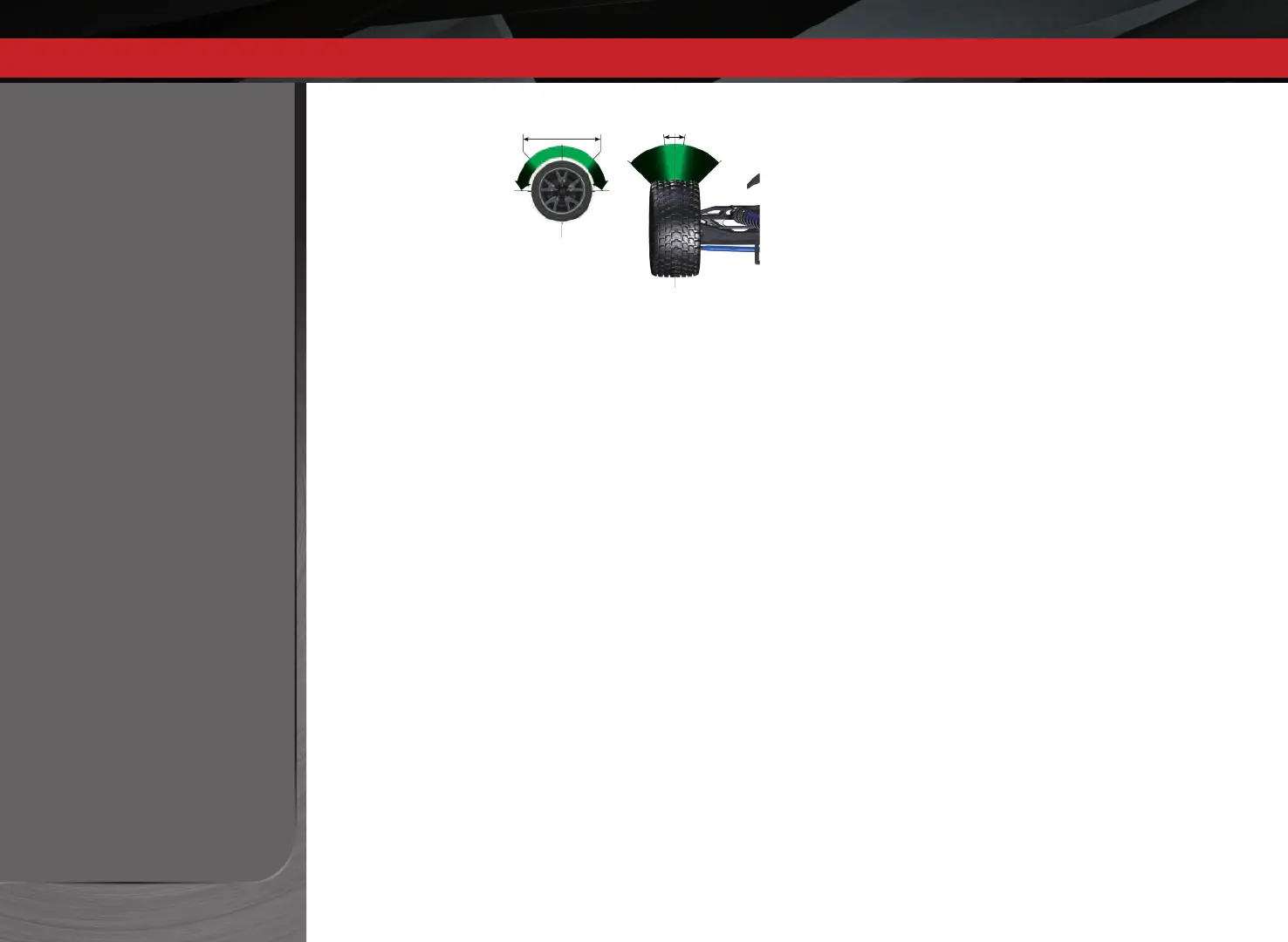
Decreased Steering Sensitivity
(Negative Exponential):
By turning the Multi-Function knob
clockwise, the steering sensitivity of
the model will be decreased. Note
that a relatively large amount of
steering wheel travel results in a
smaller amount of servo travel. The
farther you turn the knob, the more
pronounced the effect becomes.
Decreased steering sensitivity may
be helpful when driving on low-
traction surfaces, when driving at
high speed, or on tracks that favor sweeping turns where gentle steering inputs are
required. The ranges are exaggerated for illustrative purposes.
Throttle Sensitivity (Throttle Exponential)
The Multi-Function knob can be set to control Throttle Sensitivity.
Throttle Sensitivity works the same way as Steering Sensitivity, but
applies the eect to the throttle channel. Only forward throttle
is aected; brake/reverse travel remains linear regardless of the
Throttle Sensitivity setting.
Steering Percentage (Dual Rate)
The Multi-Function knob can be set to control the amount
(percentage) of servo travel applied to steering. Turning the Multi-
Function knob fully clockwise will deliver maximum steering throw;
turning the knob counterclockwise reduces steering throw (note:
turning the dial counterclockwise to its stop will eliminate all servo
travel). Be aware that the steering End Point settings dene the
servo’s maximum steering throw. If you set Steering Percentage
to 100% (by turning the Multi-Function knob fully clockwise), the
servo will travel all the way to its selected end point, but not past it.
Many racers set Dual Rate so they have only as much steering throw
as they need for the track’s tightest turn, thus making the car easier
to drive throughout the rest of the course. Reducing steering throw
can also be useful in making a car easier to control on high-traction
surfaces, and limiting steering output for oval racing where large
amounts of steering travel are not required.
Steering and Throttle End Points
The TQi transmitter allows you to choose the limit of the servo’s
travel range (or its “end point”) independently for left and right
travel (on the steering channel) and throttle/brake travel (on the
throttle channel). This allows you to ne-tune the servo settings to
prevent binding caused by the servo moving steering or throttle
linkages (in the case of a nitro car) farther than their mechanical
limits. The end point adjustment settings you select will represent
what you wish to be the servo’s maximum travel; the Steering
Percentage or Braking Percentage functions will not override the
End Point settings.
Steering and Throttle Sub-Trim
The Sub-Trim function is used to precisely set the neutral point of
the steering or throttle servo in the event that simply setting the
trim knob to “zero” does not completely center the servo. When
selected, Sub-Trim allows ner adjustment to the servo output
shaft’s position for precise setting of the neutral point. Always set
the Steering Trim knob to zero before making nal adjustment
(if required) using Sub-Trim. If Throttle Trim has been previously
adjusted, the Throttle Trim will need to be reprogrammed to “zero”
before making nal adjustment using Sub-Trim.
Braking Percentage
The Multi-Function knob may also be set to control the amount
of brake travel applied by the servo in a nitro-powered model.
Electric models do not have a servo-operated brake, but the
Braking Percentage function still operates the same way in electric
models. Turning the Multi-Function knob full clockwise will deliver
maximum brake throw; turning the knob counterclockwise reduces
brake throw (Note: Turning the dial counterclockwise to its stop will
eliminate all brake action).
Throttle Trim
Setting the Multi-Function knob to serve as throttle trim will allow
you to adjust the throttle’s neutral position to prevent unwanted
brake drag or throttle application when the transmitter trigger is at
neutral. Note: Your transmitter is equipped with a Throttle Trim Seek
mode to prevent accidental runaways. See the sidebar on page 34
for more information.
Turning Range
at Transmitter
Effective Turning
Range on Model



 To Next Page