3
Channel 1
Channel 1 is the lead/overdrive channel and is selected
in one of two ways, via the Channel Select switch on
the control panel, or via the Channel Select button on
the supplied footswitch pedal. The yellow LED, located
next to the Channel 1 Volume control, illuminates when
Channel 1 is active.
Note: Plugging in the footswitch deactivates the panel-
mounted Channel and Boost controls.
Gain & Volume Controls
Channel 1 uses a Gain control in conjunction with a
Volume control to control the amount of tube-based
overdrive and volume. The Gain control is used to
adjust the amount of overdrive, while the Volume control
allows you to set the actual loudness of the amplifier.
Boost Switch
A boost circuit is provided to help achieve ‘a-bit-more’
overdrive for leads. The boost can be selected via the front
panel switch or through the supplied footswitch pedal. A
Red LED illuminates to indicate when the boost is active.
Channel 1 Tone Controls
The Treble, Bass, and Middle tone controls are to help you
shape your sound. They are post-gain and pre-volume.
These are active only when Channel 1 is selected.
Scoop Switch
Provides deep midrange cut and bass boost to get
that deep “chunk” sound.
Channel 2
Channel 2 can be used as the clean channel and thus
has no Gain control. In other respects the layout is the
same as that of Channel 1, with independent Volume
and Treble, Bass, and Middle tone controls. When
channel 2 is active the green LED located next to the
Channel 2 volume control is illuminated.
Brightness Switch
Channel 2 includes a Brightness switch that activates
a circuit to provide additional treble boost to help
make your tone sparkle.
Expander Switch
Adds deep bottom and sparkling highs to Channel 2.
Master Controls
Master Volume
Controls the overall level of both channels.
Reverb Control
The Master Control section also includes a rotary
Reverb control that adjusts the overall reverb level
for both channels. The YCV80/YCV80Q is equipped
with a long-style Accutronics® dual-spring reverb for
authentic vintage reverb.
Standby Switch & Indicator
This switch controls the high voltage power being
supplied to the tubes. This mode effectively keeps the
tubes warmed up when the amp is not in use. The large,
jewel indicator on the front panel glows Red when the
amp is fully powered-up and changes to Yellow when
the high voltage circuit has been turned off. Putting the
amp into Standby mode (i.e. during set breaks) shuts off
the amplifier output stage and effectively increases tube
life by reducing wear on the tubes.
EFX / LINE Send Jack, Return Jack & Trim Pots
The Send and Return jacks of the YCV80/YCV80Q
allow convenient use of an external effect unit. Simply
connect a ¼ inch phone cable to the Send jack of the
YCV80 and then connect this cable to the Input of
your effects unit. To send the processed signal back
to the YCV80, connect the output of the effects unit
to the Rtn jack of the YCV80/YCV80Q. The Trim pots
enable fine adustments to the signal being sent to and
returning from the external effects.
The ¼ inch TRS Send jack is used as part of an
effects loop, in conjunction with the Rtn jack. The -
10dBu output is ideal for most guitar effects pedals
and professional signal processors. You can also use
this output to slave the YCV80/YCV80Q with another
guitar amplifier by plugging into the Rtn jack of the
destination amplifier that will be the slave.
The ¼ inch TRS Return jack is used as your return
jack for your effects loop. It accepts an input signal that
is passed to the power amplifier, so it can be used as a
power amp in. The Master Control section regulates the
signal, so Reverb can be added as well as Presence.
The Loop-Thru jack is a “send” and “return” all in
one jack. As a patch point it puts the connected effects
in series with the preamp and power amp sections of
the YCV80/80Q. To connect an effect here, use a “Y
Insert” cable configured as follows; ¼ inch stereo (TRS)
male to two ¼ inch mono male jacks. Our model PC-
6ISPH can be used for this purpose.
Footswitch Jack
Connecting a footswitch to the ¼ inch TRS Footswitch
jack deactivates the control panel mounted Channel
Select and Boost switches. These functions are then
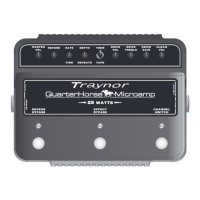
activated exclusively by the pedal. The included
footswitch features dual-latching switches, each with a
separate LED indicator.
The switching is accomplished with internal relays
so there is no audiable noise flowing through the
footswitch cable. Footswitch-induced noise is never an
issue. The YCV80 is compatible with most aftermarket
latching dual-footswitch pedals.
External Speaker Jack/s
The chassis mounted ¼ inch jacks allow convenient
connection of a 4 ohm external speaker cabinet. If you
disconnect the internal 12 inch Celestion® speakers,
you can connect up to two 4 ohm external cabinets.
Headphone Jack & Speaker Defeat
The headphone jack can be used with any stereo
headphones. The headphone signal is post-preamp
and pre-master which means the signal is affected
by all controls (including reverb) but not the Master
Volume. For practicing silently, don't forget to
disengage the speaker outputs by depressing the
Speaker Defeat button.


 To Next Page
 Loading...