21
18. Press the TOTAL key to switch between normal counting and recalling
memory data.
4.1.3 Function setting
- Turn off the weighing machine using the hard switch located on the
bottom of the weighing machine.
- Press and hold UNIT WEIGHT key and then turn on the weighing
machine. The display will show
“------“ and then “b = XX” (beeper), on the first line, A-XX (auto off) on the
second line and “L = XX (backlight) on the third line.
- Press the QTY/SET key to toggle between activating the beeper on or
off.
- Press the TARE key to select auto off time.
- Press the ZERO key to toggle between activating the backlight On, Off,
or Auto(AU). To save your settings, and begin weighing, turn the
machine off and then back on again.
- When there is no weight on the platter, press the SAMPLE/UNIT key to
select the weighing unit (kg or lb).
4.1.4 Clearing the total weight
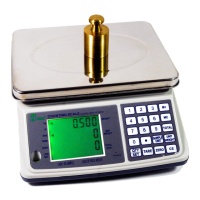
- Press the TOTAL key to show the total pieces on the third line of the
display.
- Press the MC key to show the unit that will be cleared.
- Press the CE key to confirm clear.


 To Next Page