24
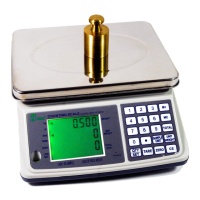
- Press the QTY/SET key to enter the quantity alarm menu.
- Press the ZERO key to turn on the check weighing. Display will show
CH=ON. Press the ZERO key again and the display will show CH-OFF
which means the quantity alarm function has been turned off.
- To set the lower and upper count limit, press the TARE key to select the
hi/lo limits. For example,
“L = 990,” press 990 on the numeric keypad, then TARE to switch over
to: H = 1010,” press 1010 on the numeric keypad.
- Press the QTY/SET key to confirm and return to counting mode.
- Put 10 pieces of your sample on the platter and press “10” on the
numeric keypad. Then press the SAMPLE / UNIT key to store and
confirm the sample weight.
- Keep adding pieces until it reaches the lowest quantity of “990”. The
alarm will sound when you reach 990.
- Keep adding pieces until it reaches the highest quantity of “1010” or
above. The alarm will sound with a different tone.
6 Calibration
Note: Calibration is done in the factory. Don’t re-calibrate the machine unless
it is not accurate. The weighing machine should be allowed to warm up for 10
minutes before calibration.
Single segment calibration (recommended):
Press and hold the ZERO key, and then press the ON/OFF key to turn
the weighing machine on. The display will show SCALE on the first
line, CAL-0 (flashing) on the second line and the AD value on the third
line.
Press the SAMPLE/UNIT key to select the calibration unit to be used
as either kg or lb.
When the AD value is stable, press the ZERO key to calibrate ZERO.
After 2-3 seconds, the second line will show 0.
Set the calibration weight by using the numeric key pad (0-9) and then


 To Next Page