29
21. Insert M.2 SSD MODULE
Follow the step-by-step instructions shown to insert the SSD into the SSD extension
slot. Make sure that the computer is switched off before inserting the SSD.
i
ADVICE
The Primebook P14 is only compatible with an SSD module with form factor
M.2 2242 in version B & M key and B key.
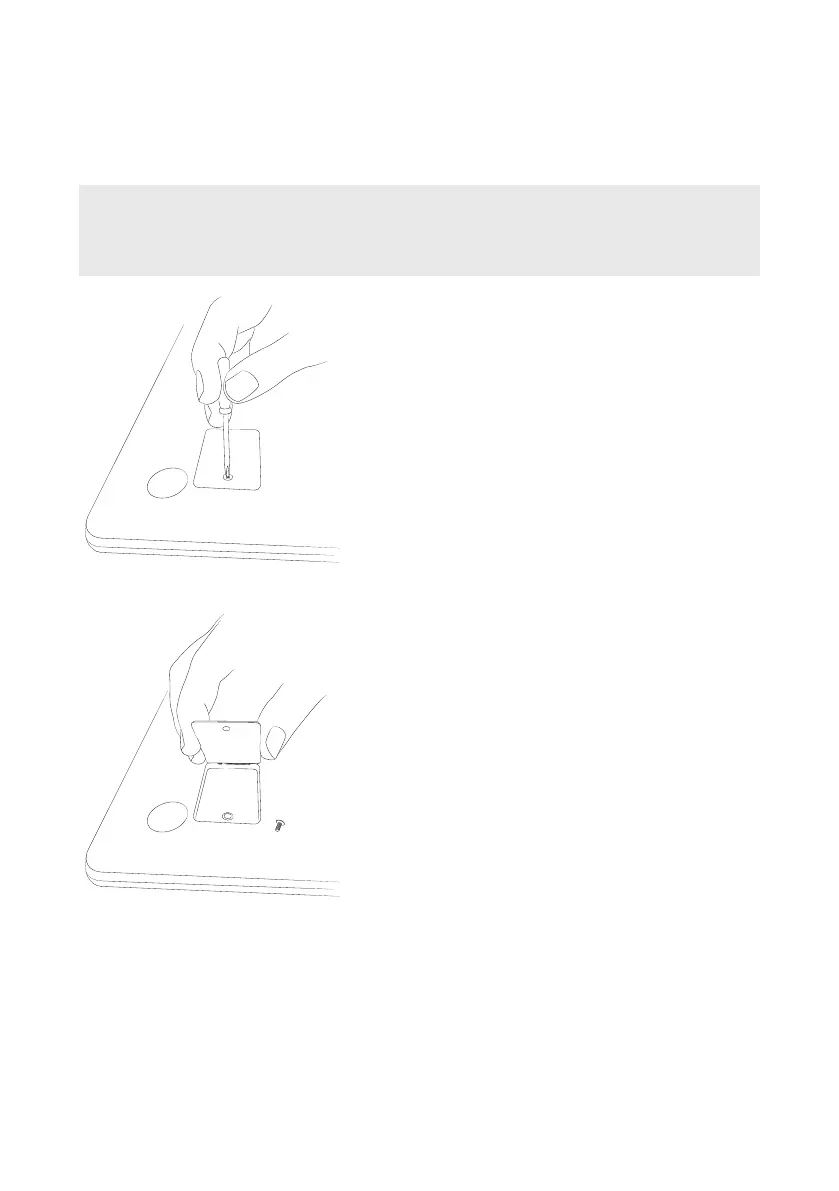
Step 1: Unscrew SSD extension slot
Use a screwdriver to loosen the screw in the cover
of the SSD extension slot. Remove and retain the
screw.
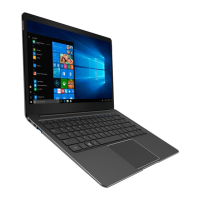
Step 2: Open SSD extension slot
Open the cover of the SSD extension slot by
inserting a small lever into the screw opening and
lifting the cover. Never use sharp or sharp-edged
tools. Then use your ingers to remove the cover.


 To Next Page