
 Need help?
Do you have a question about the TrekStor SurfTab duo W3 and is the answer not in the manual?
Defines DANGER, CAUTION, WARNING, and NOTE symbols used in the manual.
Critical warnings regarding children, electrical shock, and device integrity.
Warnings about power adapter usage, overheating, and fire hazards.
Cautions on device damage, tripping, screen use, and high volume levels.
Cautions on device placement and warnings about display operation and breakage.
Warning against opening the device for maintenance or cleaning.
Safety guidelines for explosive areas, security zones, water, flames, and temperature.
Warnings about using damaged batteries and skin contact with battery substrate.
Cautions on using correct power adapters and winding cables loosely.
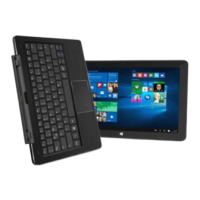
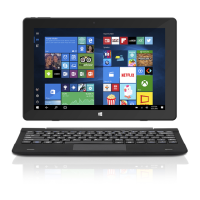
Identifies physical controls and ports on the tablet and keyboard dock.
Illustrates and labels keys on the keyboard, including function keys.
Instructions for fully charging the device before first use.
Steps to power on the device and navigate the initial configuration assistant.
Step-by-step guide to connecting the SurfTab to a wireless network.
Explains network authentication methods like WPA and WPS.
Instructions for resetting a frozen device and properly switching off or restarting.
Answers to common questions about slow charging and video recording errors.
Addresses issues related to perceived storage space and lack of sound output.
 General
| Form factor | Convertible (Detachable) |
|---|---|
| Product type | Hybrid (2-in-1) |
| Product color | Black |
| Housing material | Aluminium, Plastic |
| Stepping | C0 |
| Tjunction | 90 °C |
| Processor cache | 2 MB |
| Processor cores | 4 |
| Processor model | x5-Z8300 |
| Processor family | Intel Atom® |
| Processor series | Intel Atom x5 Series |
| Processor socket | BGA 592 |
| Processor codename | Cherry Trail |
| Processor frequency | 1.44 GHz |
| Processor cache type | Smart Cache |
| Processor lithography | 14 nm |
| Processor manufacturer | Intel |
| Processor front side bus | - MHz |
| PCI Express slots version | 2.0 |
| Processor boost frequency | 1.84 GHz |
| Processor operating modes | 64-bit |
| PCI Express configurations | 1x1 |
| Thermal Design Power (TDP) | 2 W |
| Maximum number of PCI Express lanes | 1 |
| Internal memory | 2 GB |
| Internal memory type | DDR3-SDRAM |
| Maximum internal memory | - GB |
| Storage media | Flash |
| Optical drive type | No |
| Card reader integrated | Yes |
| Total storage capacity | 32 GB |
| Compatible memory cards | MicroSD (TransFlash), MicroSDHC, MicroSDXC |
| Display diagonal | 11.6 \ |
| Touch technology | Multi-touch |
| Touchscreen type | Capacitive |
| Native aspect ratio | 16:9 |
| Number of execution units | 12 |
| Discrete graphics card model | Not available |
| On-board graphics card model | Intel® HD Graphics |
| On-board graphics card base frequency | 200 MHz |
| On-board graphics card dynamic frequency (max) | 500 MHz |
| Front camera resolution (numeric) | 2 MP |
| Wi-Fi standards | - |
| Bluetooth version | 4.0 |
| USB 2.0 ports quantity | 2 |
| USB 3.2 Gen 1 (3.1 Gen 1) Type-A ports quantity | 0 |
| Keyboard layout | QWERTZ |
| Pointing device | Touchpad |
| Battery capacity | 8500 mAh |
| Cables included | Micro-USB, USB |
| AC adapter input voltage | 100 - 240 V |
| Processor code | SR29Z |
| Processor ARK ID | 87383 |
| Processor package size | 17 x 17 mm |
| Intel Identity Protection Technology version | 1.00 |
 Weight and Dimensions
| Depth | 188 mm |
|---|---|
| Width | 299 mm |
| Height | 19.5 mm |
| Weight | 1460 g |


 To Next Page