
 Need help?
Do you have a question about the TrekStor SurfTab twin 10.1 and is the answer not in the manual?
Covers risks for user capabilities, child safety, suffocation, insertion, and general device handling.
Addresses electrical shock risks, fire hazards from connections, battery safety, and explosive atmospheres.
Details risks like hearing loss, reduced attentiveness, electronic interference, photosensitivity, and environmental factors.
Covers risks from unapproved chargers, physical injuries, explosive atmospheres, and device damage.
Details processor, RAM, storage, display, camera, ports, network, and other hardware specifications.
Lists power adapter details and included package contents like cables and cleaning cloth.
Identifies and labels ports and controls on the tablet, including buttons, cameras, and LEDs.
Identifies and labels ports, touchpad, and status LEDs on the keyboard.
Provides instructions on how to charge the Surftab for initial use, including LED indicators.
Guides on powering on the device and unlocking the display after setup or restart.
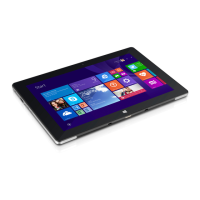
Identifies and explains key elements of the Windows start screen, including task bar icons and functions.
Step-by-step guide on how to safely separate and reconnect the tablet from the keyboard dock.
Explains special keys, function buttons, and the Windows button for enhanced keyboard operation.
Provides two methods to open and close the Start menu using the Windows icon or keyboard button.
Describes the Start menu layout, navigation, and how to pin, organize, and remove apps.
Step-by-step guide to connect the Surftab to stationary wireless networks (Wi-Fi) for internet access.
Instructions on launching the default internet browser (Edge) and entering web addresses (URLs).
Guides on enabling Bluetooth and transferring files between the Surftab and other paired devices.
Instructions on connecting external storage devices and transferring files using drag-and-drop methods.
Steps to connect the Surftab to a TV using an HDMI cable for image and sound output.
Guides on wireless connection to Miracast-enabled TVs for image and sound transfer.
Addresses frequently asked questions about slow charging, recording errors, storage, and sound issues.
Troubleshoots power issues, installing updates, and managing full internal storage space.
Defines technical terms and abbreviations related to the Surftab, its software, and interfaces.
Defines terms like Task bar, USB, USB Type-C, and Windows Store for user understanding.
Explains how to properly dispose of and recycle the device and its batteries according to environmental regulations.
 General
| Stepping | C0 |
|---|---|
| Processor code | SR1UB |
| Processor cache | 2 MB |
| Processor cores | 4 |
| Processor model | Z3735F |
| System bus rate | - GT/s |
| Processor family | Intel Atom® |
| Processor series | Intel Atom Z3700 Series |
| Processor codename | Bay Trail |
| Processor frequency | 1.33 GHz |
| Processor cache type | L2 |
| Processor manufacturer | Intel |
| Processor package size | 17 x 17 mm |
| Conflict-Free processor | Yes |
| Processor front side bus | - MHz |
| Processor boost frequency | 1.83 GHz |
| Processor operating modes | 32-bit, 64-bit |
| Graphics & IMC lithography | 22 nm |
| Thermal Design Power (TDP) | - W |
| Scenario Design Power (SDP) | 2.2 W |
| Material | Plastic |
| Processor ARK ID | 80274 |
| Processor socket | BGA 592 |
| Internal memory | 2 GB |
| Internal memory type | DDR3-SDRAM |
| Storage media | - |
| Compatible memory cards | MicroSD (TransFlash), MicroSDHC, MicroSDXC |
| Maximum memory card size | 128 GB |
| Internal storage capacity | 32 GB |
| Display diagonal | 10.1 \ |
| Touch technology | Multi-touch |
| Touchscreen type | Capacitive |
| Display resolution | 1280 x 800 pixels |
| Graphics card | HD Graphics |
| Rear camera type | Single camera |
| Maximum video resolution | - pixels |
| Rear camera resolution (numeric) | 2 MP |
| Number of built-in speakers | 2 |
| Wi-Fi standards | 802.11b, 802.11g, Wi-Fi 4 (802.11n) |
| Bluetooth version | 4.0 |
| Top Wi-Fi standard | Wi-Fi 4 (802.11n) |
| Near Field Communication (NFC) | No |
| HDMI ports quantity | 0 |
| USB 2.0 ports quantity | USB 2.0 ports have a data transmission speed of 480 Mbps, and are backwards compatible with USB 1.1 ports. You can connect all kinds of peripheral devices to them. |
| Micro-USB 2.0 ports quantity | 1 |
| Audio formats supported | AAC, MP3, PCM, WAV, WMA |
| Image formats supported | BMP, GIF, JPG, PNG |
| Video formats supported | AVC, DIVX, H.264, MPEG4, VC-1 |
| Video compression formats | AVI, MKV, MP4, WMV |
| Device type | Tablet PC |
| Form factor | Slate |
| Product color | Black |
| Battery capacity | - mAh |
| Battery life (max) | - h |
| AC adapter input voltage | 100 - 240 V |
| Platform | Windows |
| Cables included | USB |
 Weight and Dimensions
| Depth | 10.8 mm |
|---|---|
| Width | 260 mm |
| Height | 175 mm |
| Weight | 599 g |


 To Next Page