19
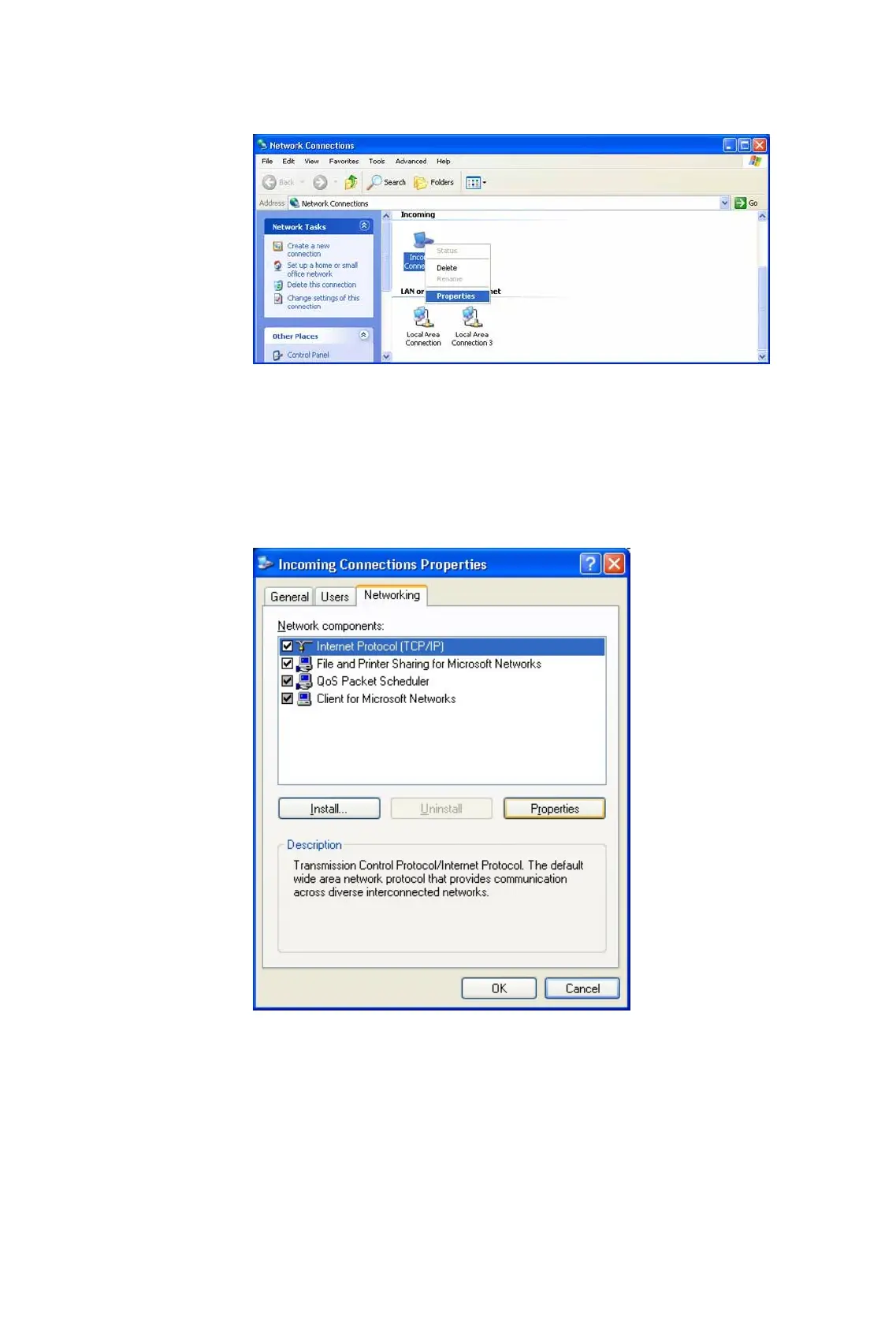
Figure 3.3: Select Properties in the Pop-up Menu
(2) Select Incoming Connections Properties | Networking ->
Internet Protocol (TCP/IP), and click on the Properties button.
(Figure 3.4)
Figure 3.4: Internet Protocol (TCP/IP) Network Component
(3) Select Specify TCP/IP addresses and enter the range of IP
addresses assigned to LAP clients (Figure 3.5).









 To Next Page