23
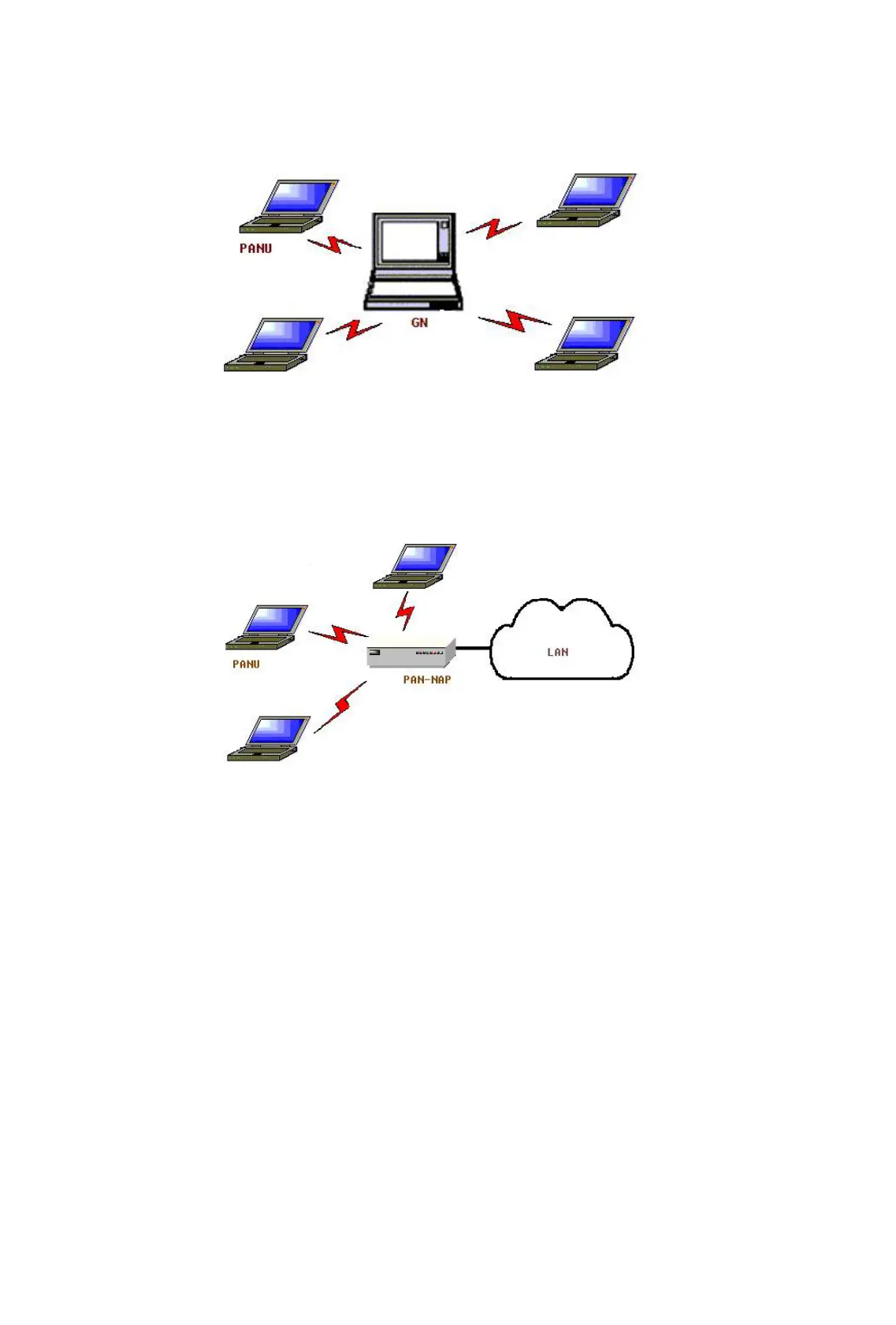
These computers can visit each other or use an application based on
TCP/IP.
Figure 3.7: Group Ad-hoc Network
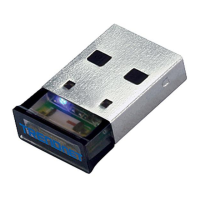
• Access a LAN via a Network Access Point (or a Computer Acting as a
NAP)
After the computers connect to the NAP, they become members of the
LAN and can directly communicate with other computers in the LAN.
Figure 3.8: Access a LAN via PAN-NAP
Connecting the PAN User (PANU)
Step 1: Connect to the server's Personal Area Network service, following
the instructions in Chapter 2.
Step 2: Wait a few seconds for BlueSoleil to obtain and display your
computer’s IP address.
Configuring the NAP/GN
Click MY Service | Properties, and click on the Personal Area Network tab.
Scenario 1 Group Ad-hoc Network
Select Set up Bluetooth Personal Area Network and Enable
DHCP Server (Figure 3.9).









 To Next Page