E N G LIS H
BNC Cable (For Ethernet Network Only)
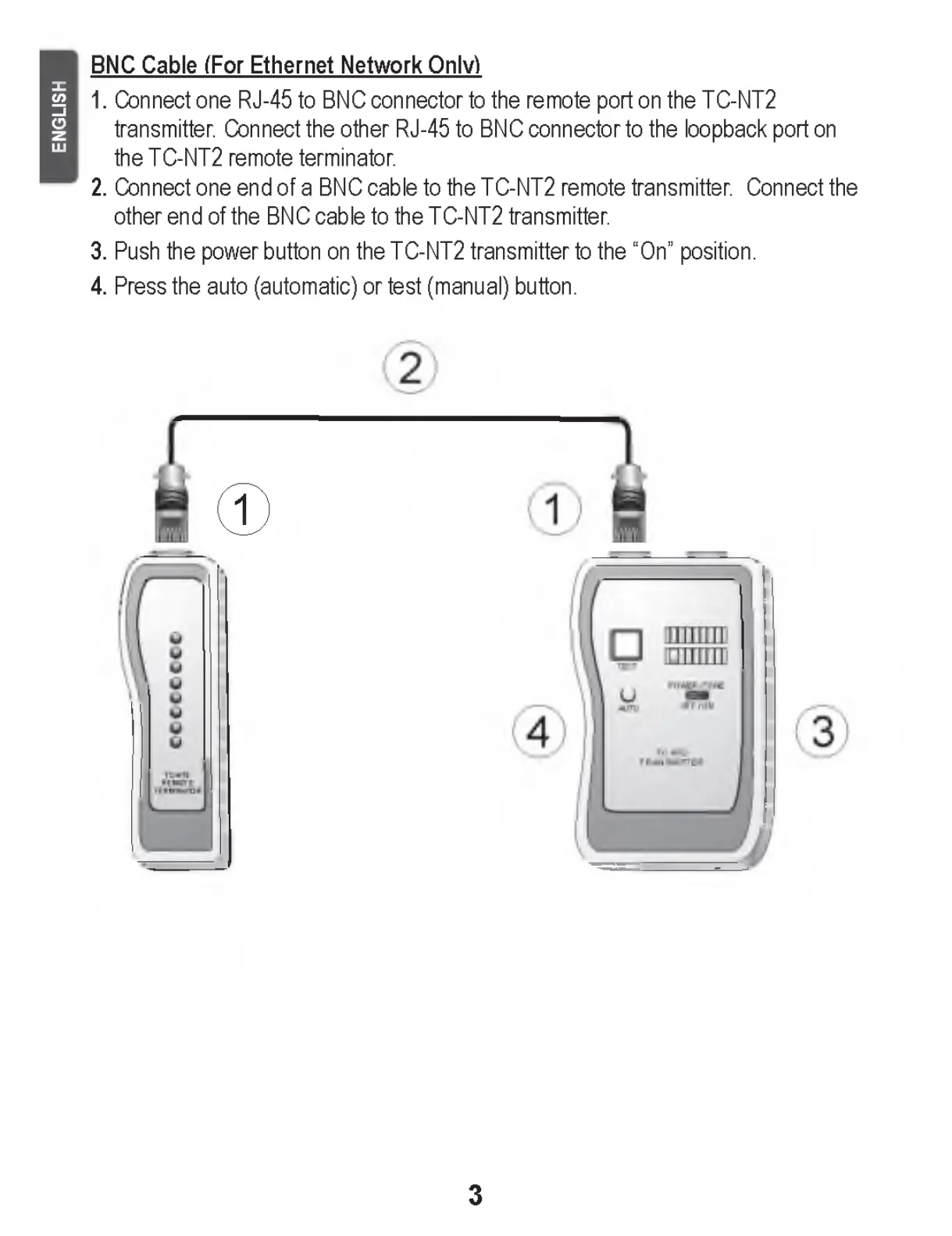
1. Connect one RJ-45 to BNC connector to the remote port on the TC-NT2
transmitter. Connect the other RJ-45 to BNC connector to the loopback port on
the TC-NT2 remote terminator.
2. Connect one end of a BNC cable to the TC-NT2 remote transmitter. Connect the
other end of the BNC cable to the TC-NT2 transmitter.
3. Push the power button on the TC-NT2 transmitter to the “On” position.
4. Press the auto (automatic) or test (manual) button.
©
3


 To Next Page