4
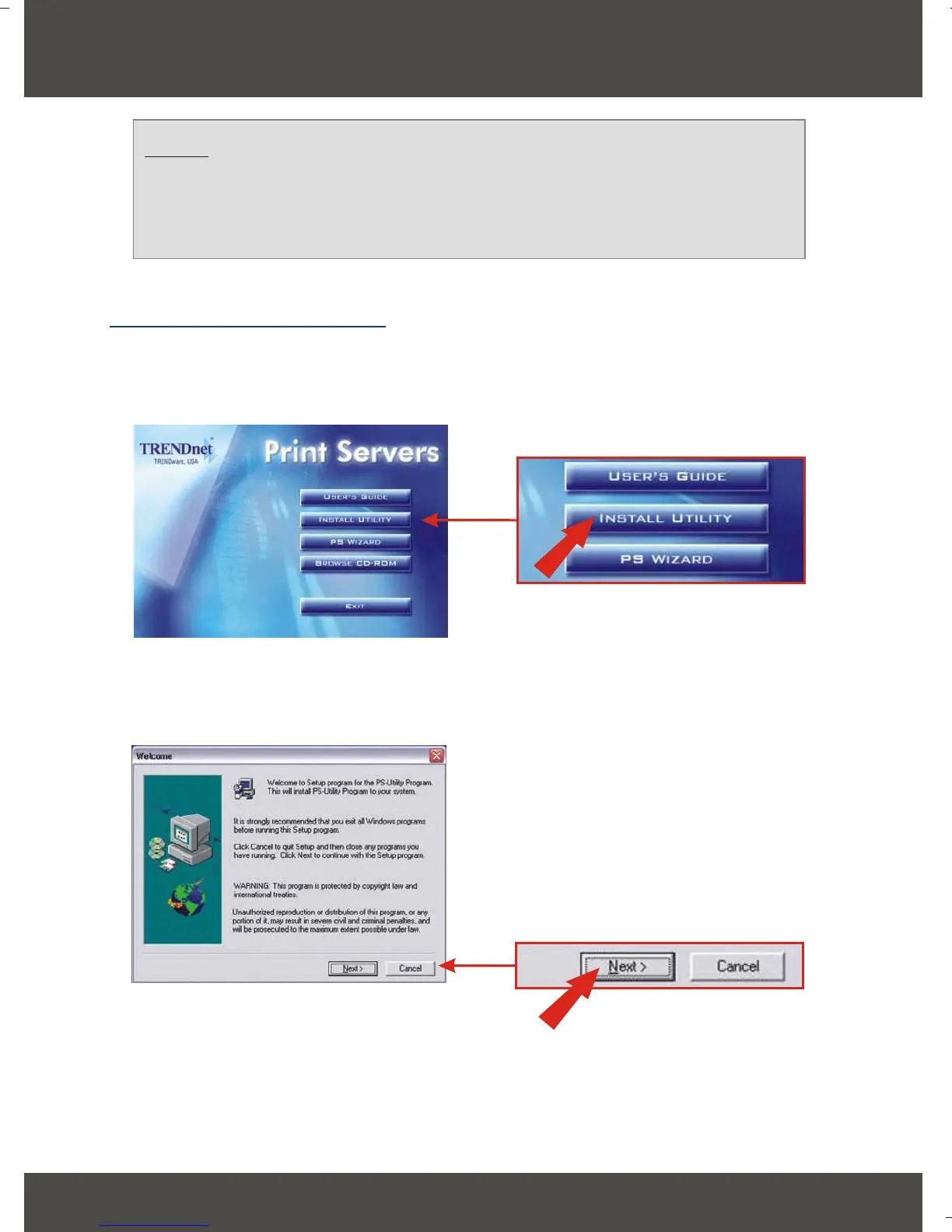
1. Insert the TE100-P21 CD-ROM into your computer's CD-ROM drive.
2. Click Install Utility.
3. Click Next.
4. Configure the Print Server
English
NOTE: For MAC Users, change your computers IP address to
192.168.0.X (where X is an available number from 1-253), and enter
192.168.0.1 in your web browser to access the Print Server's Web
Utility.
For Windows Users






 To Next Page