
 Need help?
Do you have a question about the TRENDnet Web Smart Switch Series and is the answer not in the manual?
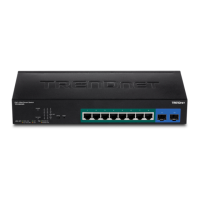
Overview, package contents, and hardware features for TEG-082WS.
Explains the function of various LEDs across switch models.
Overview, package contents, and hardware features for TEG-204WS.
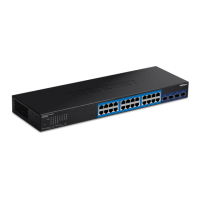
Overview, package contents, and hardware features for TEG-284WS.
Overview, package contents, and hardware features for TEG-524WS.
Overview, package contents, and hardware features for TEG-30284.
Instructions for installing the switch on a desktop or in a rack.
Step-by-step guide to configure the switch's IP address.
Guidance on connecting network devices to the switch ports.
How to access the switch's web management interface.
Overview of system status, hardware, port status, and real-time statistics.
Configure system name, location, contact, and cloud management.
Configure IPv4/IPv6 interfaces, ARP, routing, DNS, and IP access.
Manage passwords, timeouts, SSL, SSH, Telnet, and DHCP auto-config.
Configure switch date/time, SNTP, and system logging.
Configure port parameters like speed, duplex, flow control, and jumbo frames.
Configure STP, MST, Instance, and Port settings.
Configure trunking groups, port mirroring, and loopback detection.
Configure Static Multicast, IGMP/MLD Snooping, and Multicast Filtering.
Configure Multicast VLANs, filtering, Tagged VLANs, and port settings.
Configure GVRP, Voice VLAN, OUI, LLDP, and Neighbor settings.
Configure MAC VLAN and Protocol VLAN settings.
Configure Quality of Service (CoS), Port Priority, DSCP, and Scheduling.
Configure IPv6 traffic class settings and priorities.
Configure port security, MAC/IP address settings, and 802.1x access control.
Configure RADIUS, TACACS+, Dial-in User, and Port Access Control.
Configure MAC Filter, Denial of Service, DHCP Snooping, and ARP Inspection.
Configure Access Control Lists (ACLs) using wizards, profiles, and finders.
Upgrade firmware and manage configuration backups via HTTP or TFTP.
Perform cable diagnostics, reboot, reset to factory defaults, and ping tests.
Install, use, and manage switches with the Web Smart Management Utility.
Guides on finding IP/MAC addresses and configuring static IPs for different OS.
Guide to using the ping tool for network connectivity tests.
FCC, RoHS, and EU Declaration of Conformity statements.
Details TRENDnet's product warranty terms and conditions.
 General
| Category | Switch |
|---|---|
| Ports | 8, 16, 24, or 48 ports (depending on model) |
| Power over Ethernet (PoE) | Available on select models |
| Switching Capacity | Varies by model (e.g., 16 Gbps) |
| Forwarding Rate | Varies by model (e.g., 11.9 Mpps) |
| MAC Address Table | Varies by model (e.g., 8K, 16K) |
| VLAN Support | Yes (802.1Q) |
| Quality of Service (QoS) | Yes (IEEE 802.1p) |
| Management | Web-based |
| Power Consumption | Varies by model |
| Dimensions | Varies by model |
| Weight | Varies by model |









 To Next Page