TEG-284WS Overview
Package Contents
In addition to your switch, the package includes:
• Quick Installation Guide
• CD-ROM (Utility & User’s Guide)
• Power cord (1.8 m / 6 ft.)
• Rack mount kit
If any package contents are missing or damaged, please contact the retail store, online
retailer, or reseller/distributor from which the product was purchased.
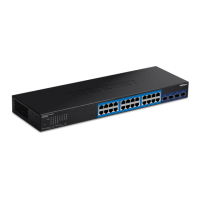
TEG-284WS Hardware Features
Front View
Rear View
• Reset Button – Press and hold the button 1~5 seconds and release to
reboot the device. Pressing the button more than 6 seconds will reset
the switch to factory defaults. The ports LEDs will turn off to indicate
that the reset was initiated.
• Gigabit Ethernet Ports (1-28) – Connect network devices. Ports 25-28
are shared with SFP slots 25F-28F and are disabled when SFP slots (25F-
28F) are in use.
• SFP Slots (25F-27F) – Supports optional 1000BASE-SX/LX mini-GBIC
modules for uplink or downlink connections.










 To Next Page