vi
TABLE OF CONTENTS
ABOUT THIS GUIDE .................................................................................... 1
Purpose ................................................................................................................................... 1
Terms/Usage ........................................................................................................................... 1
Overview of this User’s Guide ................................................................................................. 1
INTRODUCTION ........................................................................................... 2
Applications: ........................................................................................................................... 2
Supported Features: ................................................................................................................ 3
Wireless Performance Considerations ..................................................................................... 4
UNPACKING AND SETUP ............................................................................. 5
Unpacking ............................................................................................................................... 5
Setup ....................................................................................................................................... 5
HARDWARE INSTALLATION ........................................................................ 6
Front Panel .............................................................................................................................. 6
Rear Panel ............................................................................................................................... 7
Side Panel ................................................................................................................................ 8
Hanging Way ........................................................................................................................... 8
Hardware connections ............................................................................................................ 9
Connecting the WLAN Router ........................................................................................................................ 9
Check the installation..................................................................................................................................... 10
PC NETWORK TCP/IP SETTINGS ............................................................. 11
Windows 95/98/ME .............................................................................................................. 11
Windows 2000 ...................................................................................................................... 12
Windows XP .......................................................................................................................... 13
Windows Vista / 7 ................................................................................................................. 15
CONFIGURATION ...................................................................................... 17
Login to the WLAN Router through Wireless LAN ................................................................. 17
Login to the WLAN Router ..................................................................................................... 17
Using the Web Browser ......................................................................................................... 18
Setup Wizard ......................................................................................................................... 19
Advanced configuration ........................................................................................................ 31
Main ...................................................................................................................................... 31
LAN & DHCP Server .................................................................................................................................... 31
WAN .............................................................................................................................................................. 33
Password ........................................................................................................................................................ 41




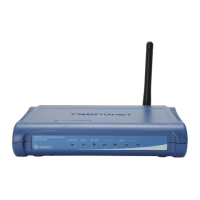
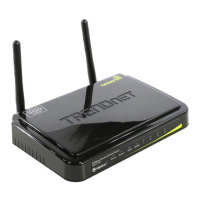

 To Next Page