75
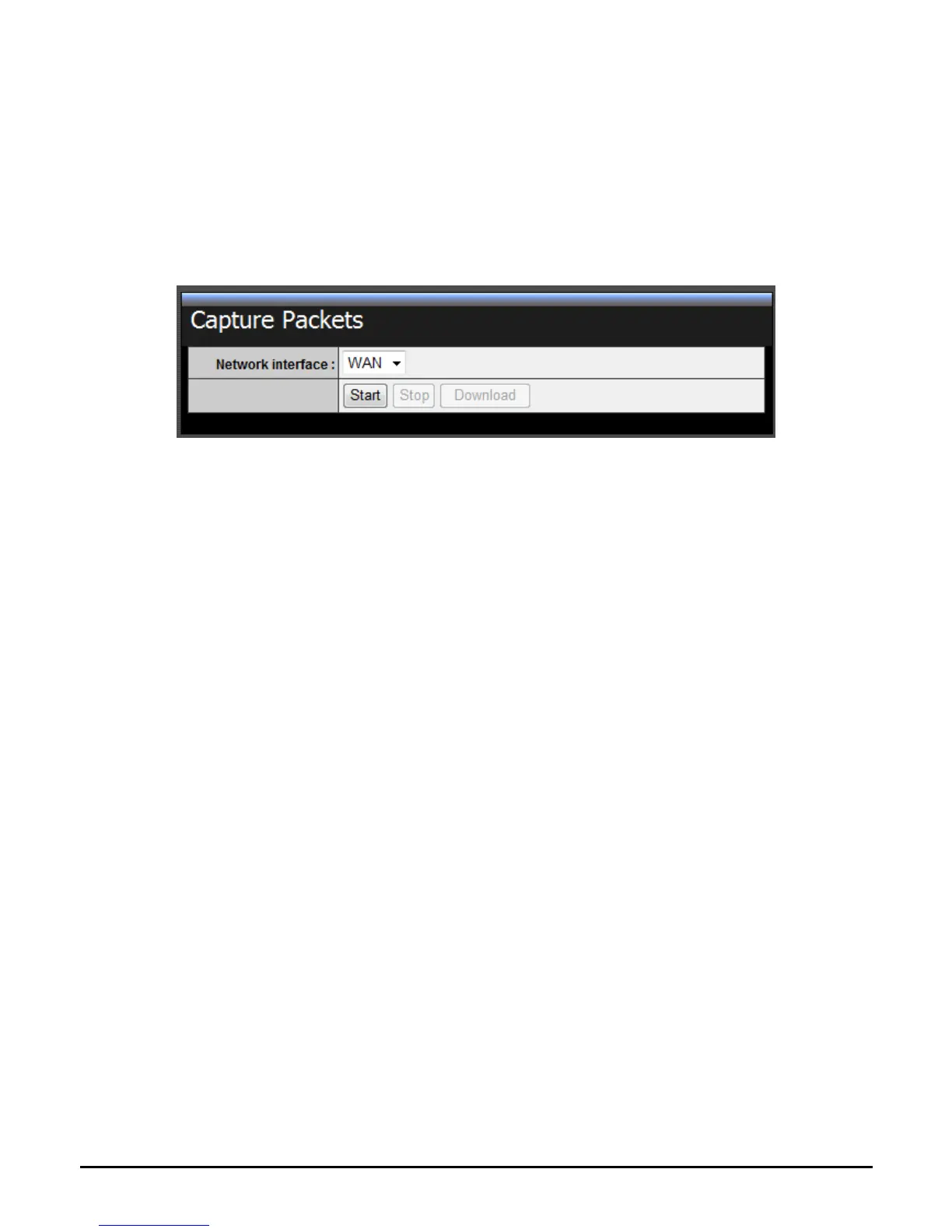
Capture Packets
This screen allows you to capture packets on the LAN and/or WAN interfaces of
the WLAN router for further analysis and troubleshooting. Packet captures allow
you to see the detailed data and information inside data packets. You will need a
third party packet capture application in order to open and view the packet
capture files download from the router.
Network Interface: Click the drop-down and list and select the interface to
capture packets, LAN or WAN.
Start: Start the packet capture for the selected interface.
Stop: Stop the packet capture for the selected interface.
Download: Download the packet capture file from the router.




 To Next Page