- 41 -
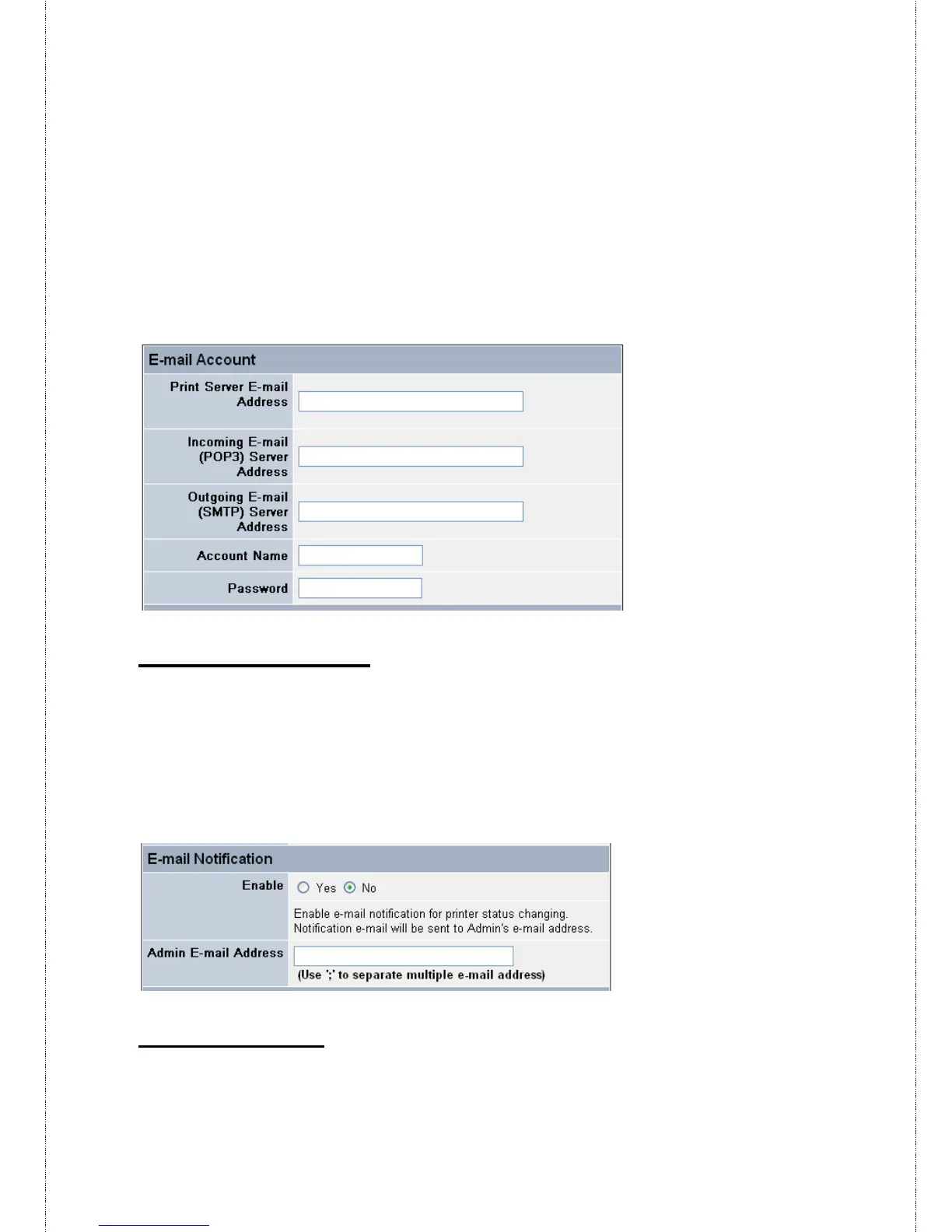
- Incoming E-mail (POP3) Server Address: Enter the server
address that is used to receive your E-mail in this box.
- Outgoing E-mail (SMTP) Server Address: Enter the server
address that is used to send your E-mail in this box.
If your mail server needs to verify the user when sending E-mail, you
have to input the Account Name and Password.
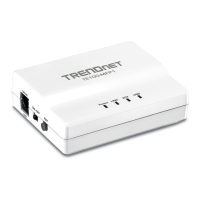
E-mail Notification
You can set the print server to send an alter message when the printer
status changes through E-mail. To enable this function, set the
Enable e-mail notification for printer status changing option to
Yes. Then, input the administrator’s E-mail address in the Admin E-
mail Address box.
E-mail Printing
- E-mail Printing (ASCII Text Only): Select Enable to enable the
E-mail printing function.



 To Next Page