Need help?
Do you have a question about the TRENDnet TE100-MP1UN and is the answer not in the manual?
Details the features of the TE100-MP1UN Print Server.
Provides crucial safety advice for using the Print Server.
Lists the items included in the TE100-MP1UN package.
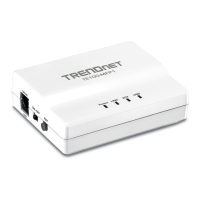
Describes the physical ports and buttons of the TE100-MP1UN.
Introduces the setup process for the Print Server.
Explains how to use the Windows-based setup wizard for configuration.
Outlines necessary steps and checks before configuring the Print Server.
Provides a step-by-step guide for installing the Print Server and its utility.
Details how to configure additional client PCs to use the already set up Print Server.
Guides through installing and setting up the Print Server utility on client machines.
Explains how to use a web browser to connect and configure the Print Server.
Describes essential steps and IP address considerations before web configuration.
Provides instructions for accessing the Print Server's web interface.
Details the various configuration screens, focusing on TCP/IP settings.
Describes additional read-only screens like Server Status and Printer Status.
Explains how to view the current status of connected printers on the server.
Details how to set the Print Server Name and password for management.
Lists the hardware specifications and environmental operating conditions.
 General
| Device Type | Print Server |
|---|---|
| Model | TE100-MP1UN |
| Standards | IEEE 802.3, IEEE 802.3u |
| Network Interface | 10/100 Mbps Ethernet |
| Ports | 1 x 10/100Mbps RJ-45 |
| Protocols | TCP/IP, IPX/SPX, NetBEUI |
| Management | Web-based |
| LEDs | Power |
| Power Adapter | 5V DC |
| Compatibility | Windows, Mac |


 To Next Page