Need help?
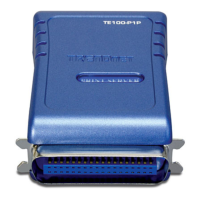
Do you have a question about the TRENDnet TE100-P1P - Parallel Print Server and is the answer not in the manual?
Lists all items included in the product box.
Details the necessary hardware and software for setup.
Steps to manually launch the CD-ROM installation for Windows 7, Vista, XP/2000.
Troubleshooting steps for PS Wizard/Utility not detecting the print server.
Ensuring the printer is set as default and verifying its status.
Disabling advanced printing features for Windows 7.
Disabling advanced printing features for Windows Vista.
Locating the print server's IP address using PS Wizard.
Instructions for configuring the TE100-P1P on a Mac system.
Procedure to factory reset the TE100-P1P using the MAC address.
Details FCC/CE compliance, interference rules, and important equipment warnings.
 General
| Device Type | Print server |
|---|---|
| Data Link Protocol | Ethernet |
| Management Protocol | SNMP, Telnet, HTTP |
| RAM | 512 KB |
| Flash Memory | 512 KB |
| Connectivity Technology | Wired |
| Ports | 1 x Parallel |
| Network Interface | Ethernet |
| Standards | IEEE 802.3 |
| Network / Transport Protocol | TCP/IP, IPX/SPX, NetBEUI |
| Status Indicators | Link/Activity |
| Power Supply | External power adapter |
| Compliant Standards | FCC Class B certified, CE |

 To Next Page