Chapter 4: Powerline Configuration Utility
The Powerline Configuration Utility is an additional tool that allows you to centrally
manage the powerline adapters that are connected to your network. Instead of using a
randomly generated key with the Sync button, the utility allows you to manually
configure the network name/security key for a single powerline adapter or multiple
adapters simultaneously. This tool allows for easy management for multiple powerline
adapters in your network.
Note:
1. Before installing and using the utility, write down the 16-digit Device Password (DPW) and MAC
Address of each TPL-402E powerline adapter as this will be required to apply changes to remote
devices discovered in the utility. This is located on the Device Label, please refer to Section 1.4.
2. Before installing and using the utility, make sure your computer in which you are installing the
utility is connected to your network and your TPL-402E adapters are also connected to your
network.
3. Make sure all of the TPL-402E powerline adapters are already connected to each other using the
procedures in Chapter 2: Product Installation.
4. The utility is only compatible with Windows operating systems. For details, please refer to
Section 1.3.
4.1 Software Installation
1. Insert the included CD-ROM into your computer’s CD-ROM drive.
2. At the CD Autorun Prompt window, click Run Autorun.exe
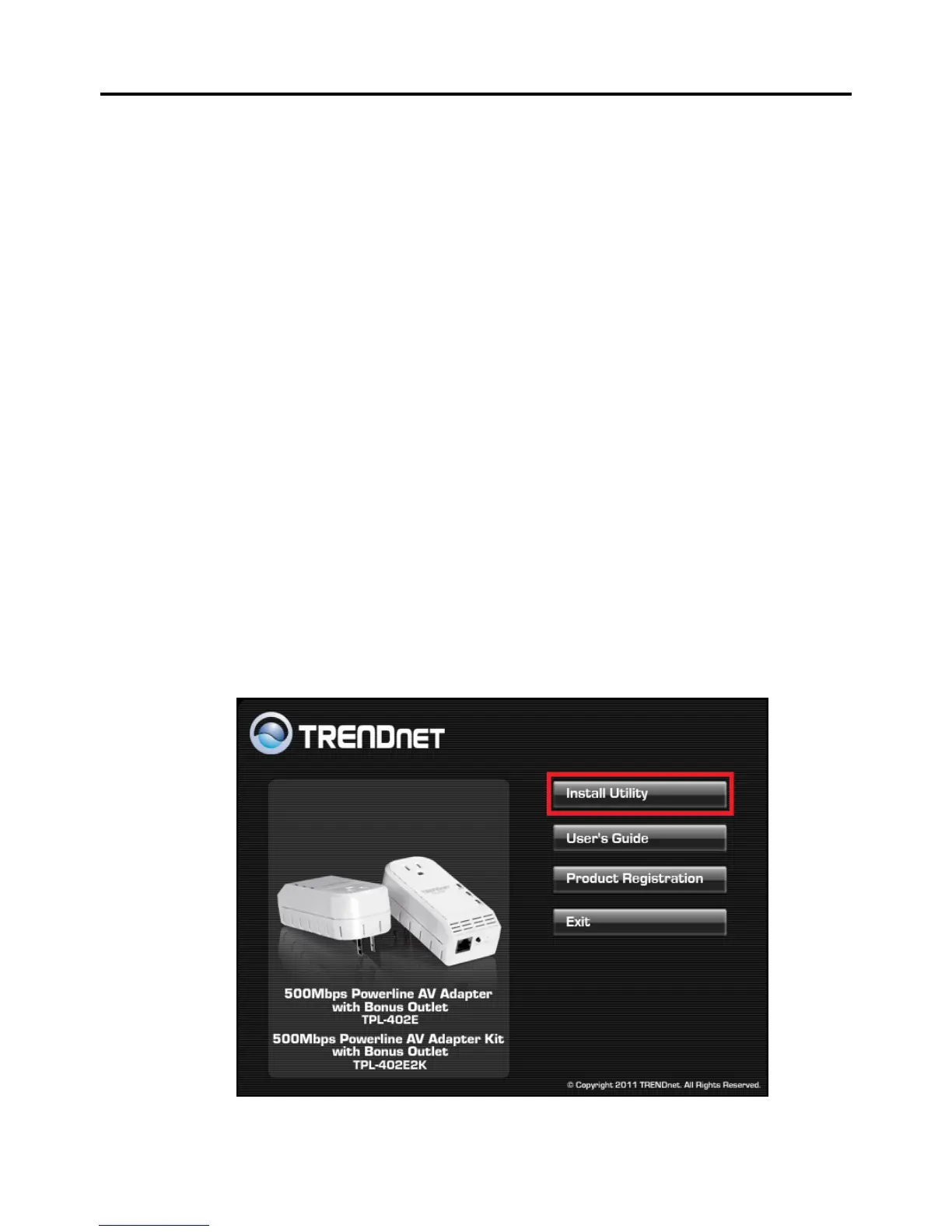
3. At the CD-ROM menu window, click Install Utility.












 To Next Page