
 Need help?
Do you have a question about the TRENDnet TV-IP501W and is the answer not in the manual?
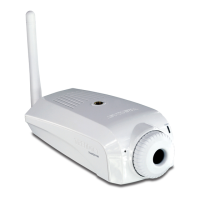
Details the components located on the front of the camera, including lens and microphone.
Details the components located on the rear panel of the camera, such as ports and buttons.
Explains the status indicated by the Power (PWR) and Link (LNK) LEDs on the camera.
Provides instructions on how to mount the camera using the included stand or other surfaces.
Discusses camera security features, user access, and password protection for authorized access.
Guides on how to start and install the Setup Wizard software from the CD-ROM.
Explains how to select the camera from the list found on the network during setup.
Details the process of entering user ID and password for camera configuration.
 General
| Brand | TRENDnet |
|---|---|
| Model | TV-IP501W |
| Category | Security Camera |
| Language | English |






 To Next Page
