EasyManua.ls Logo

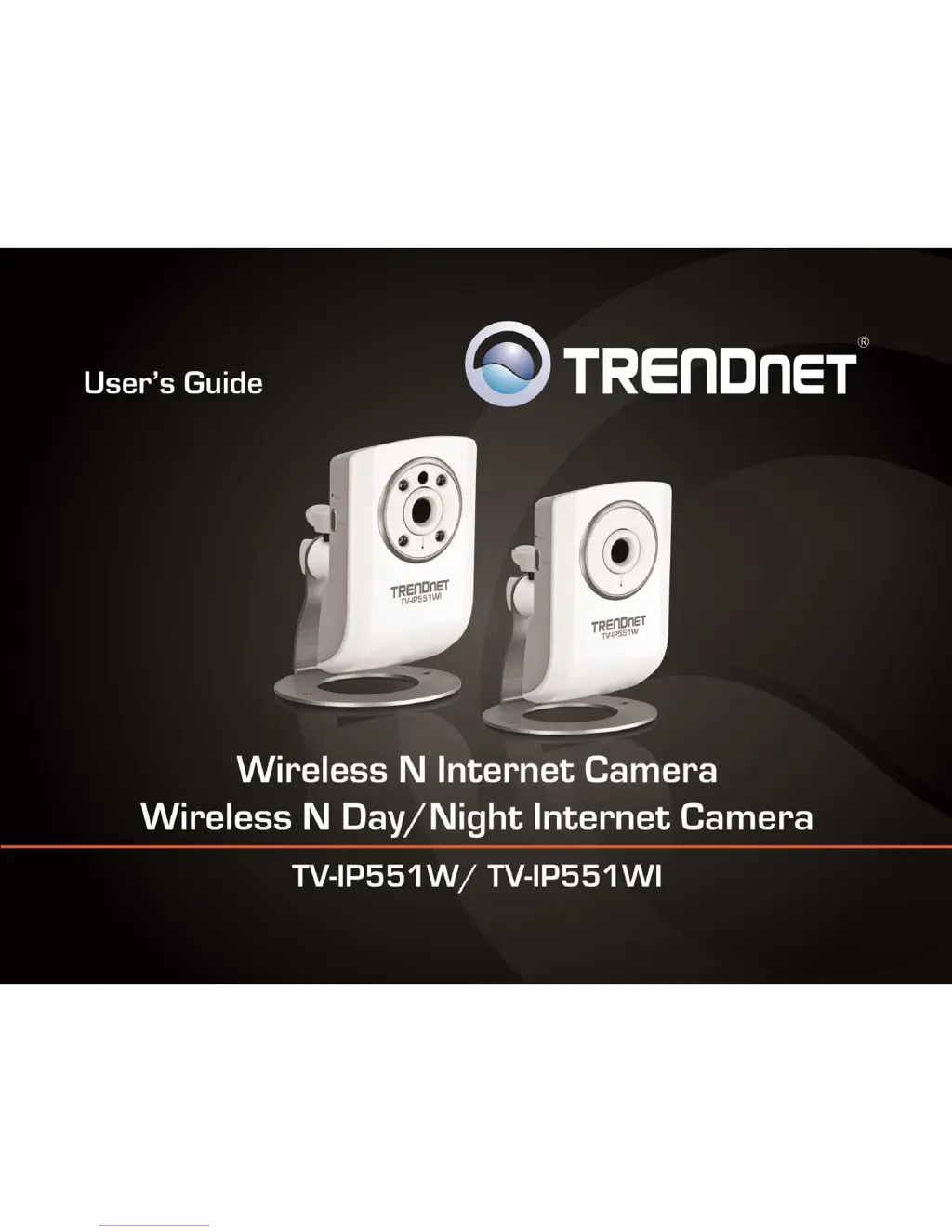
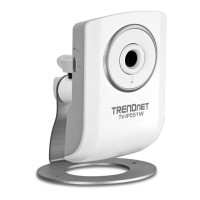
TRENDnet TV-IP551WI - User Manual

TRENDnet TV-IP551WI
35 pages
Print Icon
To Next Page IconTo Next Page
Loading...
TRENDnet Users Guide
Cover Page

Other manuals for TRENDnet TV-IP551WI

Questions and Answers

Summary

Starting the Setup Wizard

Camera Configuration Interface

Accessing Web Configuration

Guides on accessing the camera's web interface for settings.

Configuring Camera Settings

Wireless Network Configuration

Wireless Channel and Encryption

How to configure wireless channel and encryption settings for security.

Network Settings Configuration

Camera Configuration Settings

User Management

Procedure for managing user accounts and deleting them.

Date and Time Configuration

Setting camera date/time via NTP server or manually.

Motion Detection Setup

Configuring motion detection sensitivity and monitoring areas.

Upload and Motion Detection Configuration

Motion Detection Upload Settings

Configuring motion detection, sensitivity, and upload triggers.

FTP Server Configuration

Entering FTP server details for uploading images.

E-mail Notification Settings

SMTP Server Configuration

Configuring SMTP server, port, sender/recipient, and authentication.

Tools - Testing and Reset Functions

FTP Server Test

Verifying FTP server settings by performing a test upload.

E-mail Test

Verifying email settings by sending a test email.

Factory Reset

Restoring the camera to its original factory settings.

Firmware and Backup Operations

Firmware Upgrade Process

Instructions on how to update the camera's firmware.

Backup Configuration Settings

Saving current camera settings to a file for backup.

Restore Configuration Settings

Loading previously saved configuration settings to the camera.

Remote Access Setup

Configure DDNS on Camera

Setting up Dynamic DNS on the camera itself for remote access.

Virtual Server Configuration

Create Virtual Server Entry

Adding a new entry in the router's virtual server settings.

Configure Router DDNS

Steps to configure DDNS on the router for remote access.

Access Camera via DDNS

How to access the camera using its DDNS domain and port number.

Dynamic DNS Configuration

Enable DDNS and Apply Settings

Enabling DDNS service and applying settings on the router.

Virtual Server Entry Details

Specifying application name, protocol, private/public ports, and LAN server IP.

Technical Specifications

Camera General Specifications

Details on sensor, lens, illumination, view angles, and digital zoom.

Wireless Specifications

Information on wireless standards, frequency, modulation, security, and sensitivity.

Camera Settings and Features

Day;Night Vision and Network Protocols

Details on night vision, IR filter, and supported network protocols.

Wireless Network and Management Settings

Wireless Standards, Security, and Sensitivity

Details on wireless standards, security, channels, and sensitivity.

Troubleshooting

Power and Ethernet LED Issues

Diagnosing issues when power or Ethernet activity LEDs do not light up.

Image Quality Problems

Resolving issues like white vertical lines or noisy/poor quality images.

Summary

Starting the Setup Wizard

Camera Configuration Interface

Accessing Web Configuration

Guides on accessing the camera's web interface for settings.

Configuring Camera Settings

Wireless Network Configuration

Wireless Channel and Encryption

How to configure wireless channel and encryption settings for security.

Network Settings Configuration

Camera Configuration Settings

User Management

Procedure for managing user accounts and deleting them.

Date and Time Configuration

Setting camera date/time via NTP server or manually.

Motion Detection Setup

Configuring motion detection sensitivity and monitoring areas.

Upload and Motion Detection Configuration

Motion Detection Upload Settings

Configuring motion detection, sensitivity, and upload triggers.

FTP Server Configuration

Entering FTP server details for uploading images.

E-mail Notification Settings

SMTP Server Configuration

Configuring SMTP server, port, sender/recipient, and authentication.

Tools - Testing and Reset Functions

FTP Server Test

Verifying FTP server settings by performing a test upload.

E-mail Test

Verifying email settings by sending a test email.

Factory Reset

Restoring the camera to its original factory settings.

Firmware and Backup Operations

Firmware Upgrade Process

Instructions on how to update the camera's firmware.

Backup Configuration Settings

Saving current camera settings to a file for backup.

Restore Configuration Settings

Loading previously saved configuration settings to the camera.

Remote Access Setup

Configure DDNS on Camera

Setting up Dynamic DNS on the camera itself for remote access.

Virtual Server Configuration

Create Virtual Server Entry

Adding a new entry in the router's virtual server settings.

Configure Router DDNS

Steps to configure DDNS on the router for remote access.

Access Camera via DDNS

How to access the camera using its DDNS domain and port number.

Dynamic DNS Configuration

Enable DDNS and Apply Settings

Enabling DDNS service and applying settings on the router.

Virtual Server Entry Details

Specifying application name, protocol, private/public ports, and LAN server IP.

Technical Specifications

Camera General Specifications

Details on sensor, lens, illumination, view angles, and digital zoom.

Wireless Specifications

Information on wireless standards, frequency, modulation, security, and sensitivity.

Camera Settings and Features

Day;Night Vision and Network Protocols

Details on night vision, IR filter, and supported network protocols.

Wireless Network and Management Settings

Wireless Standards, Security, and Sensitivity

Details on wireless standards, security, channels, and sensitivity.

Troubleshooting

Power and Ethernet LED Issues

Diagnosing issues when power or Ethernet activity LEDs do not light up.

Image Quality Problems

Resolving issues like white vertical lines or noisy/poor quality images.

TRENDnet TV-IP551WI Specifications

General IconGeneral
ModelTV-IP551WI
CategorySecurity Camera
ConnectivityWireless
Resolution1280 x 720
Night VisionYes
Wireless Standard802.11n
Ethernet10/100 Mbps
Camera TypeIP Camera
Lens3.6mm
FeaturesMotion Detection
AudioTwo-way Audio
Operating Temperature0°C to 40°C
Operating HumidityMax. 85% non-condensing

Related product manuals